Reading Order
Reading order is the order in which a screen reader reads the contents of a web page. A screen reader doesn’t see the two dimensional layout so it reads the content in a linear order, which is the order in which it appears in the page’s HTML code. The reading order must give the correct information so the screen reader presents the page as designed.
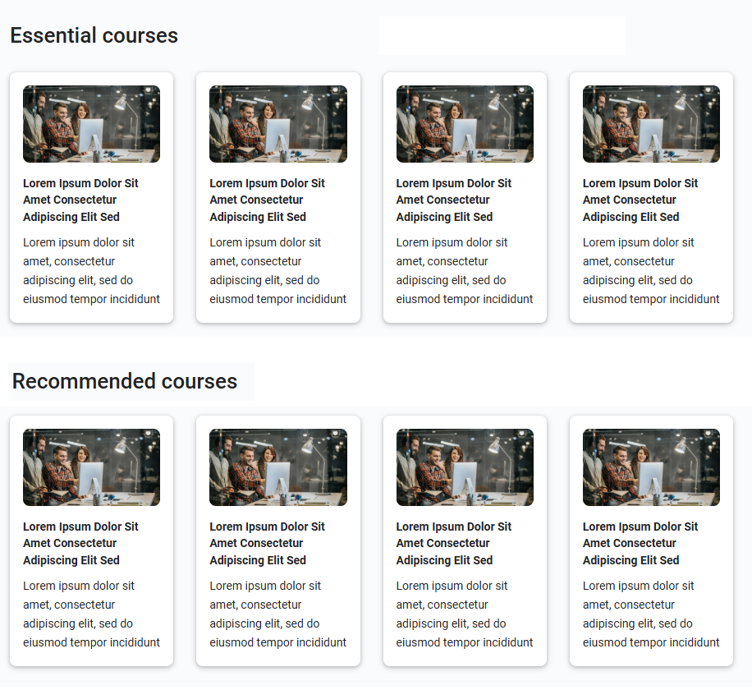
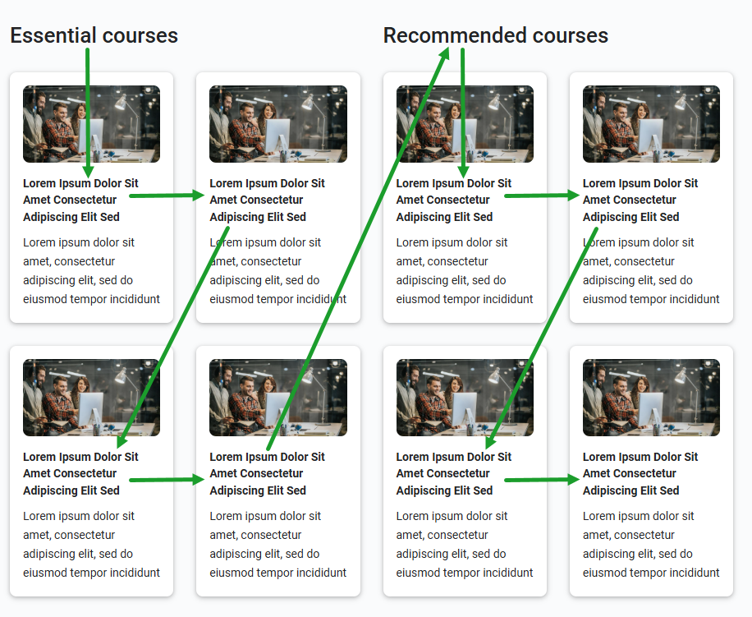
Consider the following page layout which has two headings, each with four cards underneath it. The cards are laid out in four columns with the first heading above the two columns on the left and the second heading above the two columns on the right. If you were to read the contents of this page out to someone, you would read the first heading Essential courses followed by the four cards underneath it. Then you would read the second heading Recommended courses followed by the four cards underneath that. This would make it clear which courses are essential and which are recommended. Your reading order would follow the order shown below.
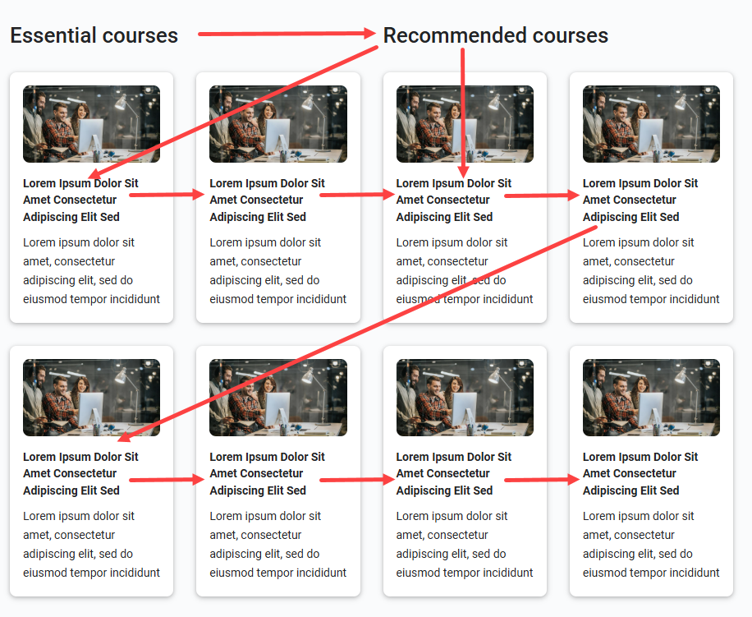
This type of page design results in HTML code where the two headings are read one after the other, followed by the eight cards. Page Builder gives the browser instructions about where to display each heading and card to achieve the two dimensional layout, but a screen reader does not read those instructions and relies on the order of the headings and cards in the HTML code. The resulting reading order is shown below. This give the user incorrect information because it makes it seem that there are no essential courses and that all courses are recommended courses. Because Page Builder produces this code order for multi column layouts, screen reader users receive the wrong information.
WCAG requirements for reading order
WCAG requires that when the sequence in which content is presented affects its meaning, a correct reading sequence can be programmatically determined. The term programmatically determined means that assistive software programs such as screen readers should be able to determine the correct reading order. This is not possible for Page Builder content that uses separate headings for different columns.
How to layout pages to avoid reading order issues
Page Builder doesn’t have any facility to allow you to specify explicit content groupings for column-based layouts that can be used to generate a correct code order for situations like this. It always generates a code order based on the left-to-right, top-to-bottom layout of content, and uses other instructions to tell the browser how to position it visually on the page.
To ensure that the reading order is correct and meets WCAG requirements you cannot therefore have different headings for different columns. You would have to put each heading on a separate line and place only the relevant cards under each heading.