About Course Replacement
In order to ensure your Compliance courses are always up-to-date with the most current information, Skillsoft automatically replaces older courses with updated versions as they become available.
If you are assigned a course that's scheduled for an update, a notification displays on the Compliance Learner page when you open the page.
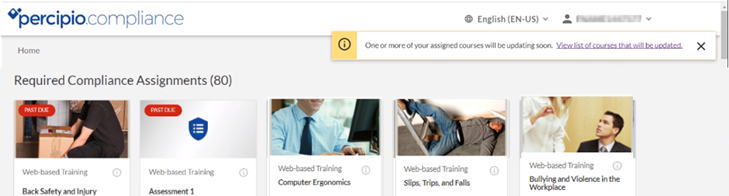
Note: If you have incomplete courses scheduled for an update and you do not complete the courses before the update, you will lose all progress and have to restart the course from the beginning.
To ensure you do not lose course progress when a course is updated
- Click the link in the notification to open the Updated Compliance Courses Coming Soon page.
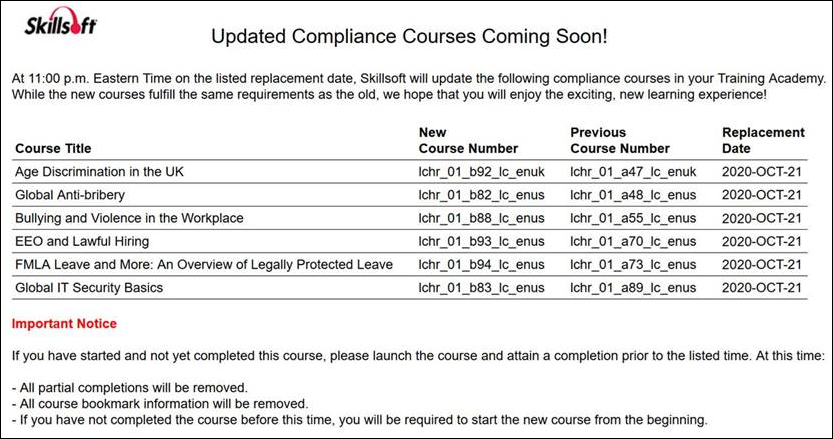
- Review the list of courses and for each course assigned to you:
- If you have not started the course, wait for the updated course to ensure you receive the most current content.
- If you started the course but it is still in progress, complete the course before the scheduled Replacement Date or you will have to restart the course from the beginning.
- If the course is complete, do nothing.