Using the Border Tab
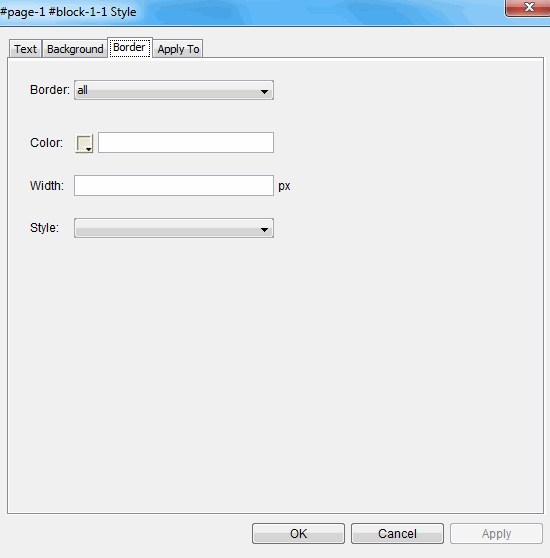
The Border tab in the Style Editor allows you to apply, remove, and modify borders around any element.
To use the Border tab
- In the Design pane Styles tab, select the style you want to modify.
- Use the Highlight style in quick preview feature to verify that you have the correct style selected.
- Click Edit.
- Click the Border tab.
- Modify the desired fields:
- Click the Border drop-down list to add a border to all sides of the element, or just the top, bottom, left, or right side of the element.
- Click the color palette icon to select a color, or enter a value in the text box. Values can be either the hexadecimal color value such as '#ff0000', or the color name such as 'red'.
- Enter the width of the border in pixels.
- Click the Style drop-down list and select either blank, dotted, solid, or dashed.
- Click Apply to apply the changes and leave the Style Editor open, or click OK to apply the changes and close the Style Editor.
- If you want to simultaneously apply these changes to other areas of the package with a similar style, use the Apply To tab before clicking OK or Apply.
© 2015 Skillsoft Ireland Limited