Live Course Emails
You can license Skillsoft live courses, such as bootcamps and leadercamps. You can also configure your own live courses in the platform.
By default, the Skillsoft Percipio Platform sends emails and meeting invitations notifying learners, admins, and instructors when things change regarding live course activities. You can turn off these notifications for custom live courses, but we recommend keeping them on so learners do not forget to attend their sessions as it could have cost implications for your company.
You can customize the copy within each of the live course emails but you cannot send the email in an ad hoc capacity. If you want to send a reminder email, you can use the Custom email campaign feature. If you want to ensure the live course default email templates uses your brand, see Brand your email, otherwise you can create a custom email template for each of the nine different emails sent by the platform for live courses.
You can choose how learners get notified regarding live courses. The options include:
- Notifications for Skillsoft live courses: The platform always sends email notifications for Skillsoft live courses. You cannot turn off these notifications. You can configure how many email reminders learners receive when they are registered for a Skillsoft class. Learners receive the emails about Skillsoft live courses when the following happens:
- Learner registers for or cancels a class
- Learner joins a wait list
- Administrator modifies or cancels a class the learner is registered or wait listed for
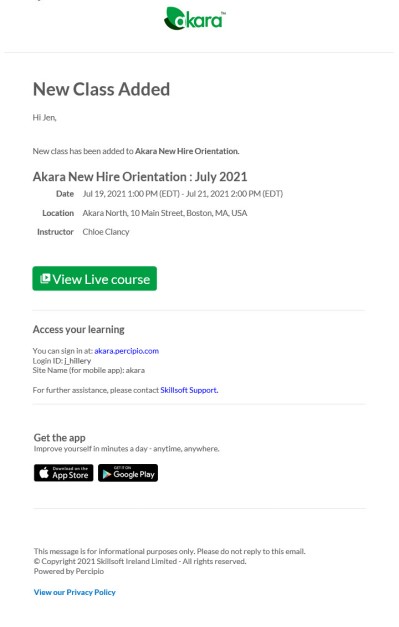
- Administrator adds a class to a course that the learner has added to their playlist
- The class is starting soon. You can choose whether the learner receives one email or three emails:
- Send full reminder email series (3 emails): If selected, the platform sends the first email 7 days prior to the start of the class, the second email 3 days prior to the start of the class, and the last email 1 day prior to the start of the class. The platform does not send emails on weekends. If a class starts on a Monday, the learner only receives the first two emails.
- Send a single reminder email: If selected, the platform sends one email reminder 3 days prior to the start of the class.
- Notifications for Custom live courses: If you are using Live Course, instructor-led training you have the option to have the platform send email notifications to learners, instructors, and administrators. All notifications are either on or off.
When you set this option to On:
Learners receive the emails about custom live courses when the following happens:
- Learner registers for or cancels a class
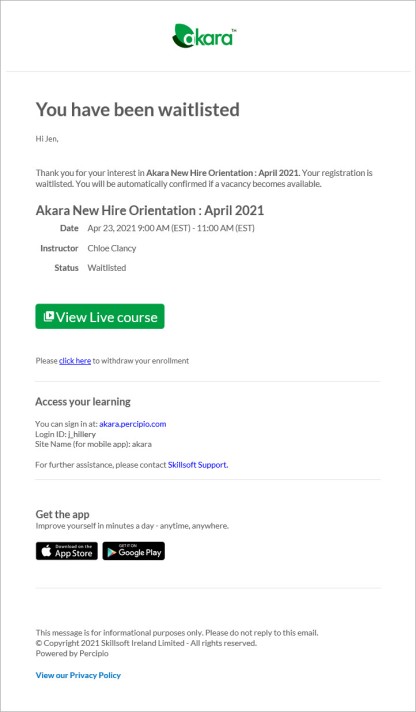
- Learner joins a wait list
- Administrator modifies or cancels a class the learner is registered or wait listed for
- Administrator adds a class to a course that the learner has added to their playlist
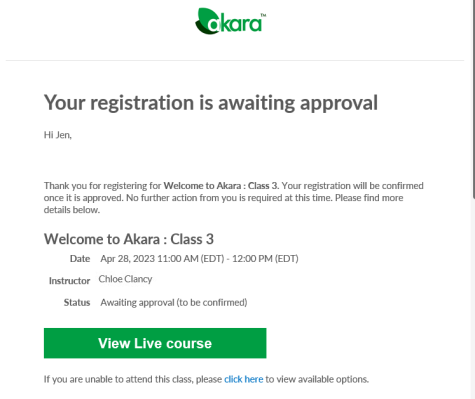
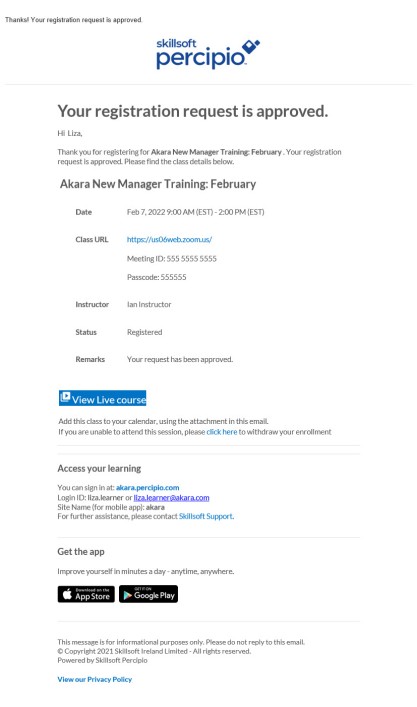
- Administrator or manager approves or denies a registration request
- The class is starting soon. You can choose whether the learner receives one email or three emails:
- Send full reminder email series (3 emails): If selected, the platform sends the first email 7 days prior to the start of the class, the second email 3 days prior to the start of the class, and the last email 1 day prior to the start of the class. The platform does not send emails on weekends. If a class starts on a Monday, the learner only receives the first two emails.
- Send a single reminder email: If selected, the platform sends one email reminder 3 days prior to the start of the class.
- Administrators receive emails when:
- Learners register for a class that requires approval. This is a daily email; it is not a separate email for each request.
- Approval Managers receive emails when:
- Learners register for a class that requires approval by them. This is a daily email; it is not a separate email for each request.
- Instructors receive calendar invitation emails when:
- Administrator modifies or cancels a class the instructor is assigned to
- Administrator adds their name as the instructor to a class
- Administrator removes their name from the instructor field of a class.
When there are one to five sessions per class: Instructors receive individual calendar invitation emails for each session, allowing them to accept or decline specific time slots.
When there are 6 or more sessions per class: To avoid inbox clutter, instructors receive a single summary email containing separate .ics file attachments for every session in the class.
Turn off custom live course emails
For learners, admins, and instructors, these emails are on by default. To turn off all custom live course email notifications:
-
Navigate to the Email & Notifications > Settings > Email campaign settings page.
- Scroll to find Live Course emails toggle and select the drop down arrow. You can turn off just live course emails for custom live courses you added to the platfrom.
- Toggle the switch to Off.
Turning the setting off prevents the Skillsoft Percipio Platform from sending any emails associated with the live courses.
Define Email Templates
For each of the types of emails that get triggered for live courses, you can select which template is to be used. First create the custom template and then from Emails & Notifications > Settings > Email campaign settings > Live course emails, choose the template from the list beside each of the triggers. You have up to nine triggers for live course emails. They are:
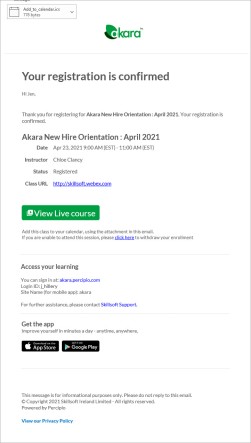
- Live course registration confirmation email: This email goes to learners when their registration has been confirmed. It typically includes the title, date, time, location, instructor, and link to join the class.
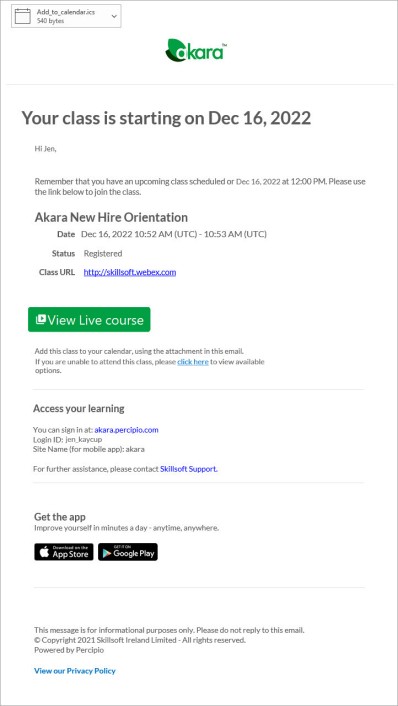
- Live course reminder email: This email goes to learners when their class is approaching. This can be a series of three reminders or one reminder. The reminder uses the same email template. It typically includes the title, date, time, location, instructor, and link to join the class.
- Live course modification email: This emails goes to learners and instructors when a class has been changed. The email includes the new details of the class.
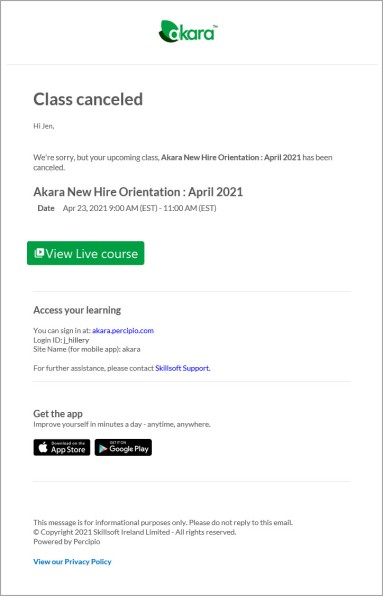
- Live course cancellation email: This email goes to learners and instructors when a class has been canceled.
- Live course registration waitlist email: This email goes to learners when they have been waitlisted for a class.
- Live course registration awaiting approval email: This emails goes to learners when their registration request is waiting for approval.
- Live course registration approved email:This emails goes to learners when their registration request has been approved.
- Live course registration denied email: This emails goes to learners when their registration request has been denied.
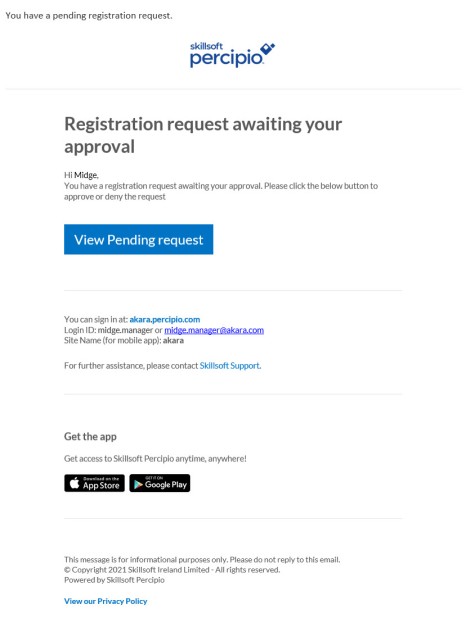
- Live course registration approval request email:This emails goes to admins and managers when a learner's registration requires approval.
Sample Live Course Emails
Each live course email is targeted specifically to its reader informing them of a specific action that happened.
Sample learner emails
 Learner registers for or cancels a class
Registration confirmation goes as a meeting request that the learner can accept or decline. When a learner cancels their registration or the admin cancels a class, the learner gets a notification with a link to remove the time on the calendar.
 A class is starting reminder
Learners could receive one or up to three reminders, 7 days, 3 days, and 1 day prior depending on how the setting is configured.
Sample approval manager emails
Approval Managers receive emails when learners register for a class that requires approval by them. This is a daily email; it is not a separate email for each request.
FAQs
Can I customize my live course emails?
Yes, you can create a custom template for each of the nine triggering events for live courses.
Can I brand my emails?
Yes, you can brand emails with logos, colors, organization name, and from line. See Brand your email.