Library Changes Coming December 1, 2026
Coming December 1, 2026, your learners will see changes to the library. These changes will make it easier for learners to find relevant content, navigate more intuitively, and focus on the skills most relevant to them. The new design introduces a clean, uncluttered interface with clear visual hierarchy, streamlined navigation, and personalized content discovery.
A summary of changes you'll see include:
- Renaming of Areas to Topics and Subjects to Subtopics.
- An anchoring banner that contains quick links. Previously, there was no banner, just a line of quick links.
- Subtopic search bar that returns results inline highlighting subtopics and their associated topics. Previously, there was no search bar.
- New toggle to show topics relevant to the learner if they specified them in My Learning > Skill Interests. Previously, you could only view all content areas or topics.
- New setting that allows learners to toggle the view to show images on the topic cards instead of just text if you added images when creating the area and subject cards (now topics and subtopics).
- Enhanced Ways to Learn section that presents in a carousel instead of all at once, and when selected, launches to a new page.
| Item | Existing Library View | New Library View |
|---|---|---|
| Image |
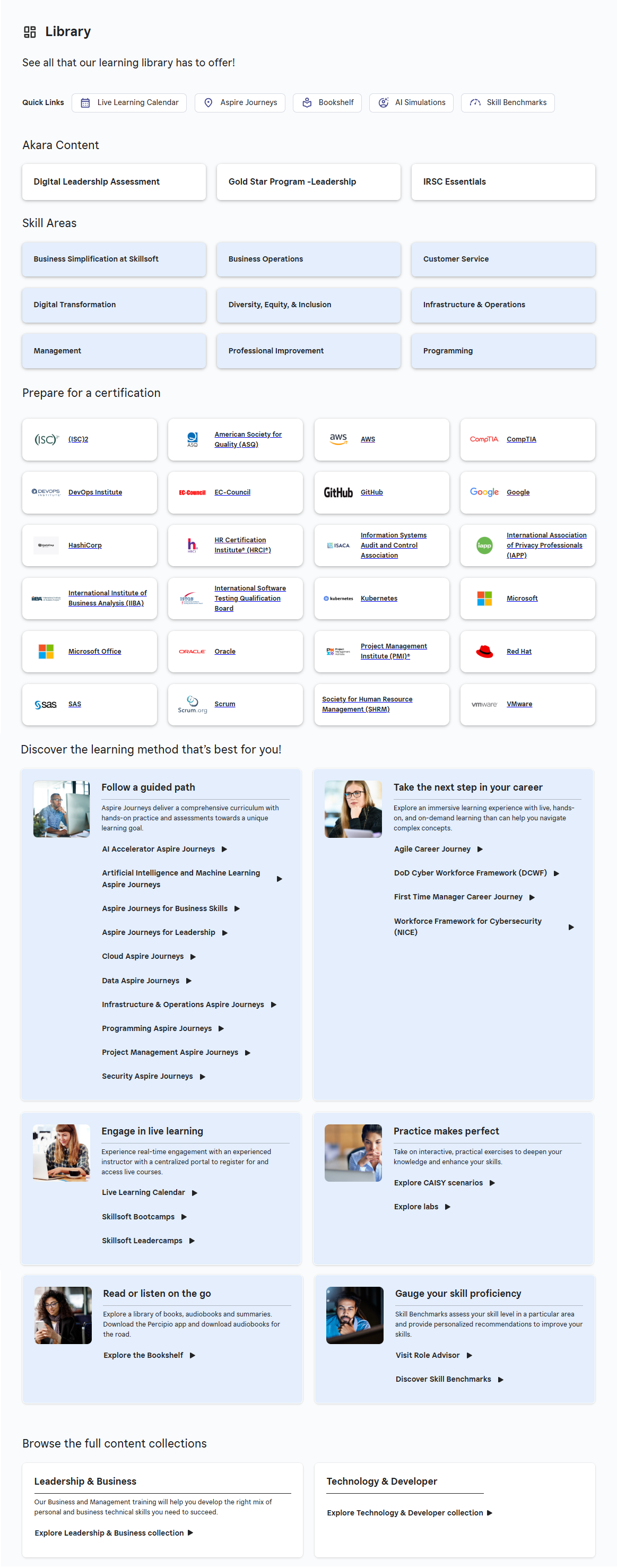
|
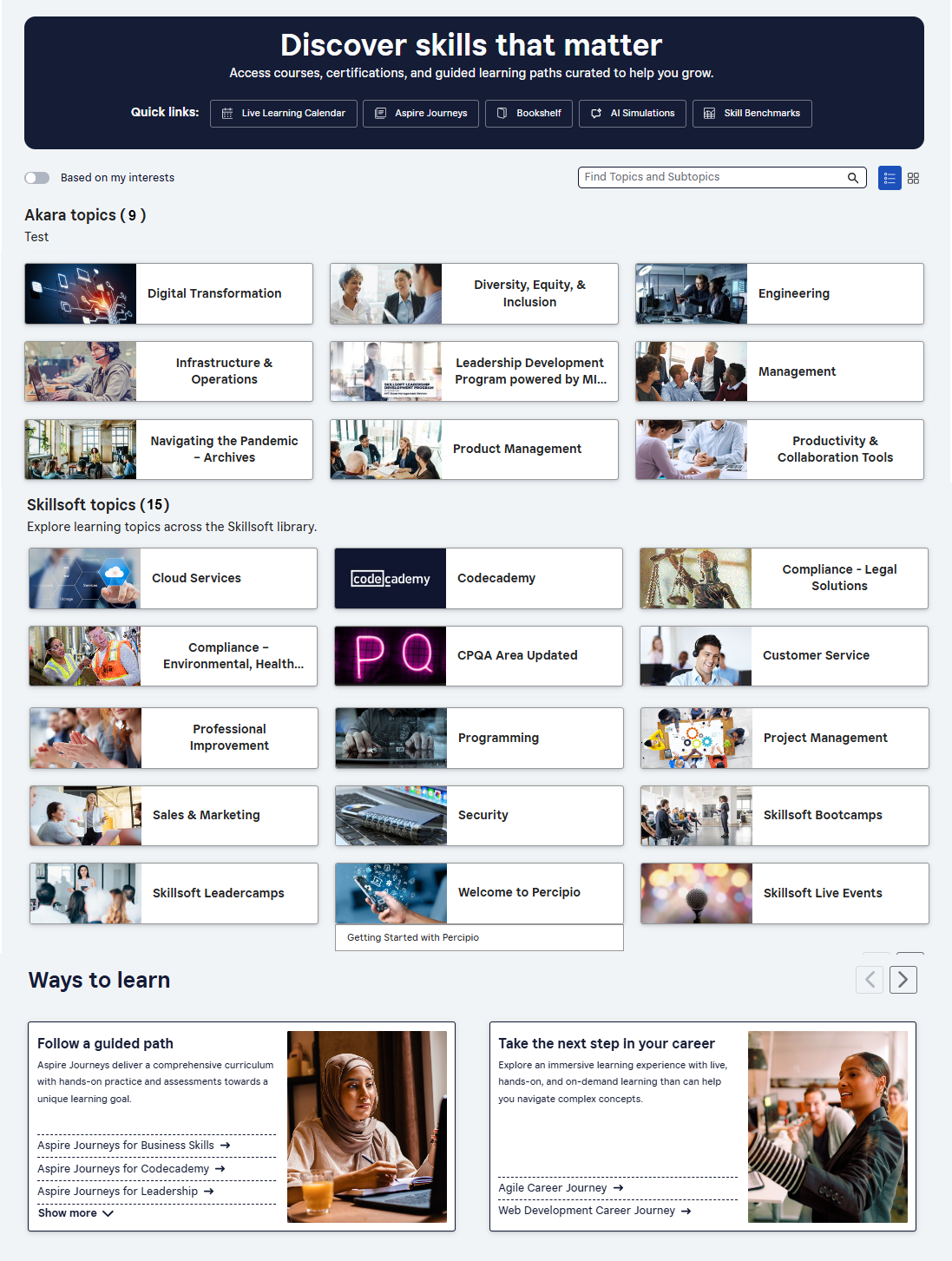
|
| Banner | No top banner, just the Library title. | Top banner, with action-oriented title. |
| Quick links | Quick links under the title. | Quick links in the banner. Quick links titles remain the same. |
| Settings and filters | None. |
New toggle to only Show areas that contain content associated with the learner's Skill Interests.
New toggle to turn images in area cards on or off if admin allows it. Admin can allow learners to view images associated with area cards. |
| Search | Not within the library. | New within the library for topics and subtopics. |
| Custom areas | Section showing cards with names only. Admin can customize the display order. |
Section showing area cards. Admins can choose to display cards with images or just text. If allowed, learners can toggle their view to have cards show images or not. Admin can customize the display order.
Renamed areas to topics and subjects to subtopics. |
| Skill areas | Section showing cards with names only. Admin can customize the display order. |
Section showing cards. Admins can choose to display cards with images or just text. If allowed, learners can toggle their view to have cards show images or not. Admin can customize the display order.
Renamed areas to topics and subjects to subtopics. |
| Certification | Section showing all available certifications. | Removed certifications from the library page. They are now available on the Certification page from the left navigation. |
| Ways to learn |
Display all boxes with links to content pages. The boxes are:
|
Presented in a carousel to prevent visual clutter. Scroll to see all content boxes. They are the same as before. |
| Content collections | View content collections. | Removed this content strip. |
| Footer | Privacy notice, help, and app. | No changes. |