Adding Instructors
Maintaining a list of instructors allows you to select an instructor from a prepopulated list when you create a live course. Assigning an instructor to a course allows them to manage the class roster and enter completions.
To manage a class roster, an instructor must have a Skillsoft Platform user account with instructor privileges. This user consumes a Skillsoft Platform license upon signing in.
If you have instructors outside of your organization, who do not have a Skillsoft Platform user account, you can add them as an instructor for a class when you create the class, but you cannot add them to your main instructor list. External instructors cannot manage the class roster. These external instructors receive all instructor notifications.
To add an instructor to the list:
- From the left navigation bar, select Content then Live Courses (ILT).
- Select Manage > Manage location and instructors.
- Select the Instructors tab. Here, you see all users who have a Skillsoft Platform account with instructor privileges.
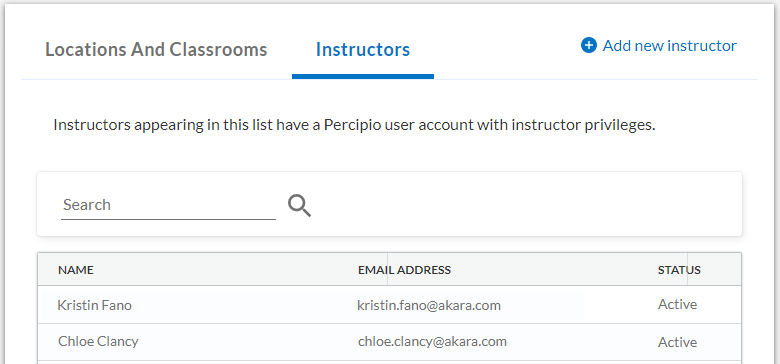
- Select Add new instructor. Two tabs display, one for assigning the instructor privilege to existing users and one for adding new users to the platform.
Assigning instructor privileges to existing users
- From the Search Existing Percipio Users tab, type the name of one or more users.
- Select each name from the list.
- Click Save and Add to assign the instructor privilege to each user. Each user gets added to the instructor list.
Adding new users to the Skillsoft Platform
If the person does not have a user account, the name does not appear as you type in the Search Existing Percipio Users. You must create a user account to add this instructor.
- From the Add new Percipio User tab select Add new user. A new browser tab opens for you to create a new user account.
- Follow the instructions for creating a new user ensuring you select the Assign Live Course Instructor privileges option.
- After you add the new instructor, you can close the New User browser tab and return to the Instructor browser tab.