Monthly Learning Digest Emails
Monthly learning digest emails show learners a summary of what they accomplished during the previous month. It includes their number of completions, badges earned, days spent learning, and goal progress. Learners can opt out any time.
This email cannot be customized.
When you have enabled XP and leaderboards, the email shows XP based rank instead of completions based rank and it shows total XP earned instead of total completions. When you have enabled XP but disabled leaderboards, the email shows XP based percentile rank instead of completions based percentile rank and it shows total XP earned instead of total completions.
 Sample monthly learning digest email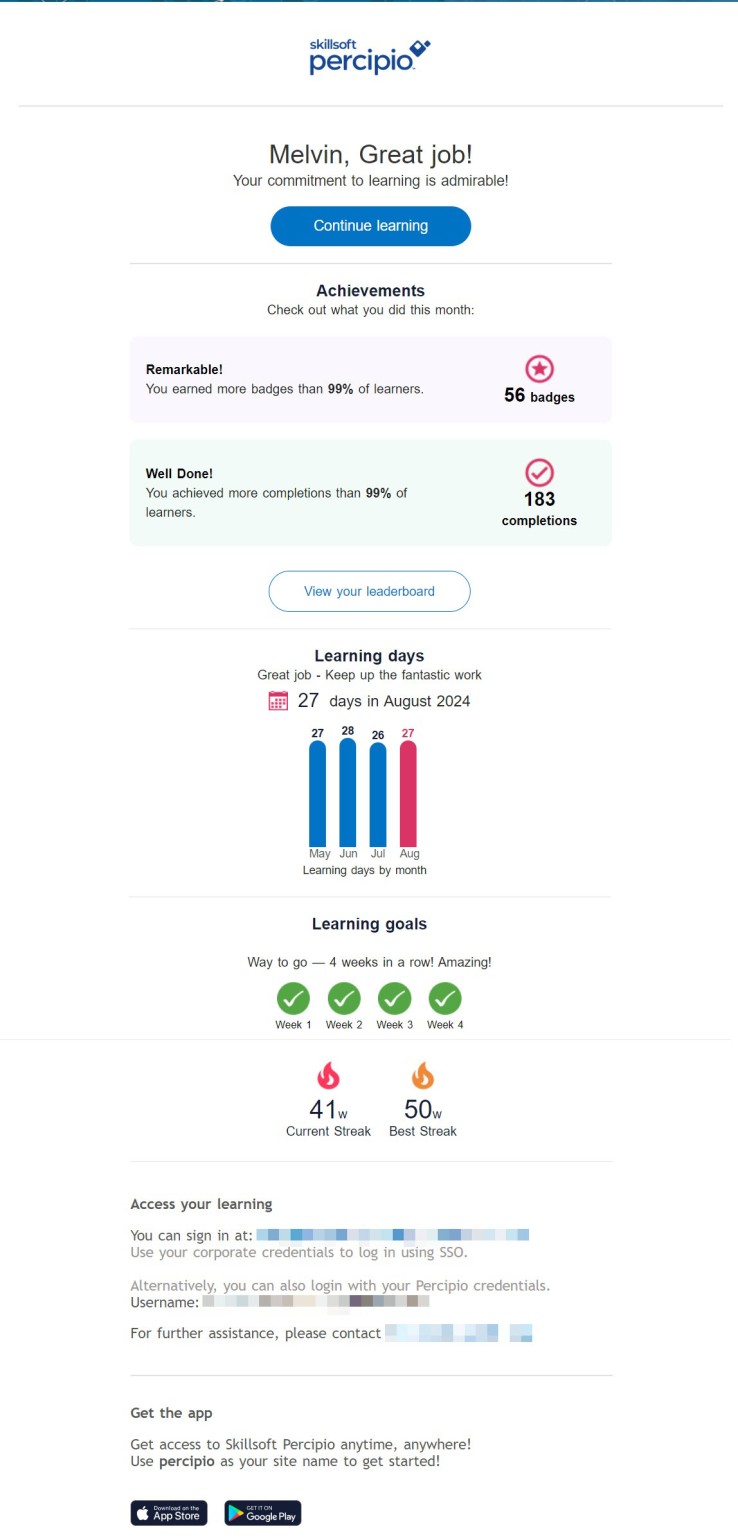
Turn the campaign on or off
The monthly learning digest emails can be either on or off:
- (Default) On: Sends emails on the first of the month to all active learners who had activity over the course of the previous month. Learners with no activity do not receive this email.
- Off: Does not send emails.
When this setting is turned on, learners can still opt out of these emails at any time via their Account Information page or from the Unsubscribe link at the bottom of each email.
If you want to ensure the monthly learning digest email uses your brand, see Brand your email.
This email campaign is on by default. You can turn it on or off.
- From the left navigation bar, select Emails & Notifications.
- Select the Settings tab.
- Select Email campaign settings.
- Use the toggle switch to change the state. Make any adjustments to the settings if available.