Retiring and Recently Added Content Emails
By default, the platform sends a monthly email that contains a link to the Skillsoft Content Status report to Skillsoft Platform user roles that can access this report. This email alerts you that assets in your collection are either being retired or added, and provides you a link to view the report.
The report shows the specific assets impacted so that you can update assignments, channels, journeys, and content promotions as necessary.
- (Default) On: Enables monthly email alerting you about retiring assets due to be removed and assets being added.
- Off: Disables the email.
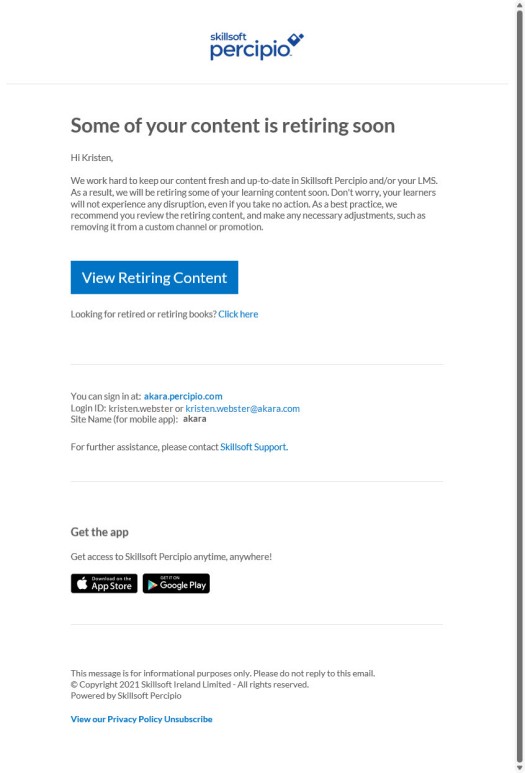
Sample Email Notifications
The retiring and recently added content email indicates that Skillsoft content is either retiring soon, being added, or both. It also provides a link to view the Skillsoft Content Status report and information so you can sign into your Skillsoft Percipio Platform site.
FAQs
 How are the emails triggered?
If your organization is using content that is due to expire within the next 90 days, Skillsoft Percipio Platform automatically sends the email to Skillsoft Percipio Platform user roles that can access the Content Status report on the first Monday of each month.
Even though the emails are triggered based on content expiring within the next 90 days, the report will show content set to expire up to a year in advance.
How do I turn on the emails?
These emails are on by default for your organization.
If you've turned these emails off and want to turn them back on, go to the Email & Notifications > Settings > Email campaign settings page and turn on the Retiring and recently added content emails toggle.
How do I turn off the emails?
If you've turned these emails on and want to turn them off, go to the Email & Notifications > Settings > Email campaign settings page and turn off the Retiring and recently added content emails toggle.
As an individual, you can choose to unsubscribe from the emails in your personal Account Information or in Mobile App Settings.
Can I brand my emails?
Yes, you can brand emails with logos, colors, organization name, and from line. See Brand your email.