Retire LX Design Studio Content
Retiring content that you created in LX Design Studio removes it from the platform library, and makes it unavailable to learners. It also archives the content in LX Design Studio so you can no longer edit it. When you retire content, learners still see it listed on their Learning Activity page if they previously launched it, but they are unable to open it again. You continue to see the retired content in reports.
Please note, if you retire an item, the system still recognizes that title as being in use for reporting purposes and you cannot reuse the title for another item.
- From the left navigation bar of the admin interface, choose Content > Content Items. The Manage Content Items page displays.
- Locate the custom content you wish to retire.
- Select the Actions icon
 , then
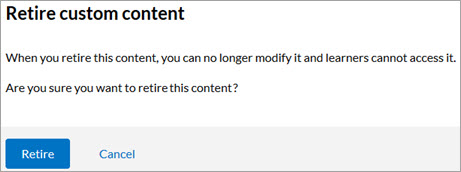
  Retire. A confirmation message displays:
 - In the confirmation message, select Retire.The content retires immediately and is no longer accessible to learners.
When you retired content that you created in LX Design Studio, the content becomes archived in LX Design Studio and authors can no longer edit it.