New Features and Enhancements as of November 17, 2023
Expanding skills of your workforce
The items in this section provide ways to grow your talent and fill critical skill gaps, building mastery with confidence.
Engaging your learners to build a learning culture
The items in this section provide ways to engage your users so they want to learn and make learning a habit.
 Prepare for Reflections
Coming soon, Reflections will elevate the learning experience by giving the learner a place to pause and think deeply about what they’ve learned.
With this release, you see a new setting under Site features called Allow learners to use Notes and Reflections. This setting replaces the Allow note taking setting. If you currently have Allow note taking checked, the new Allow learners to use Notes and Reflections setting will also be checked.
Once Reflections is live for learners later this year, they can record their reflections in response to a series of thought-provoking questions at the end of each course. By reflecting on what they have learned, learners are more likely to gain a greater understanding of the course material and retain that knowledge over the longer term.
Reflections will be private and can be saved and accessed later from the Notes and Reflections page, allowing learners to revisit their insights at any time.
Learners are now notified when a course is retiring
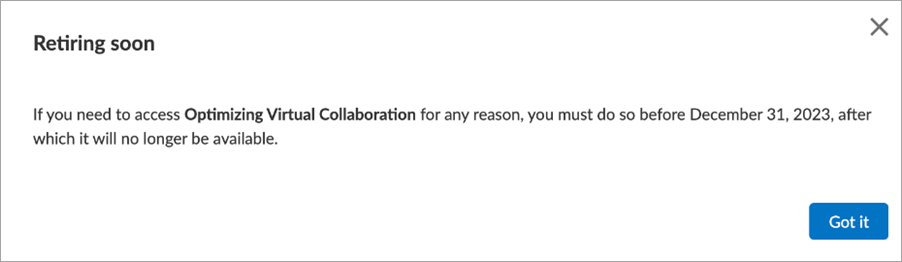
To help learners plan their learning, a new message displays when they launch a courses that is retiring soon. The message displays the date the content is being retired and provides a helpful link to a new version of the course if available. The message does not display to learners who launch content from an assignment.
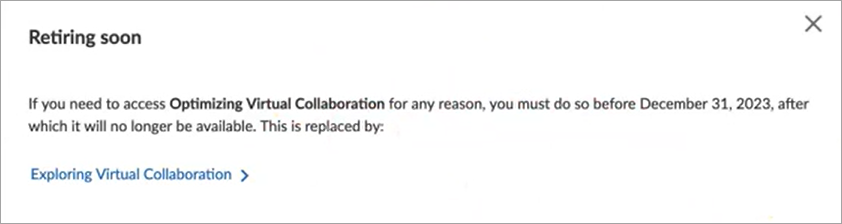
For Integration customers, the message displays, but the link to the new version of the course, if available, does not display.
Manage, promote, and measure learning
The items in this section provide the tools you need to manage users and content, promote learning, and measure learning effectiveness on your bottom line.
Star Ratings information is now available on the Learning Feedback dashboard
To provide greater insight into how your learners are engaging with content, you now see two new sections on the dashboard. One is for the top 10 highest-rated and the other is for bottom 10 lowest-rated content based on star ratings. The ratings data on the dashboard is based only on your organization's star ratings and selected dashboard filters. In addition, two new columns are now available in the Learning feedback by title table, Average Rating and Rating Responses.
For more information see, Learning Feedback Dashboard.
Improved All Content Listing report
You now see the following enhancements to the All Content Listing Report report:
-
You can filter the report on Collections.
-
You can see the Average rating, which is based only on your organization's star ratings for the content item.(this was moved to the December 1, 2023 release)
-
You can see keywords for custom content
Prepare for AI responses to learner questions posted on the Q&A tab
Coming soon, learners will be able to have questions that they post to the course Q&A tab answered immediately by Skillsoft AI. AI answers will be provided for relevant knowledge-based questions only. The learner can up-vote or down-vote the response. Q&A moderators will also be able to endorse the answer or remove it and provide their own. Skillsoft highly encourages leaving this feature on so that learners do not need to wait for a human moderator to respond.
With this release, you see a new setting under Site features called Allow AI to answer questions posted in the Q&A tab of Skillsoft courses. This setting is on by default. If you do not want your learners to have questions answered by AI, you can turn this setting off now before the feature goes live for learners later this year.
The setting to display the Q&A tab is located on the Engagement & Notifications page under Social Learning and must also be enabled for learners to use this new feature.
Compliance, Ecosystems, and Integrations
Inactivate external learning objects from the Compliance Library
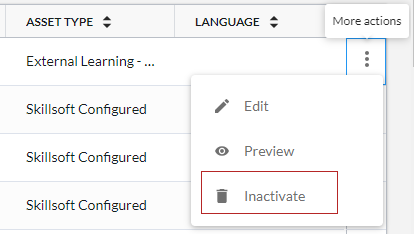
Admins can now inactivate an external learning object in the Compliance Library for non-WBT Courses.
Usability Enhancements
The items in this section show where we are making improvements to the interface for a better experience.
Improved learner experience for Skill Benchmarks
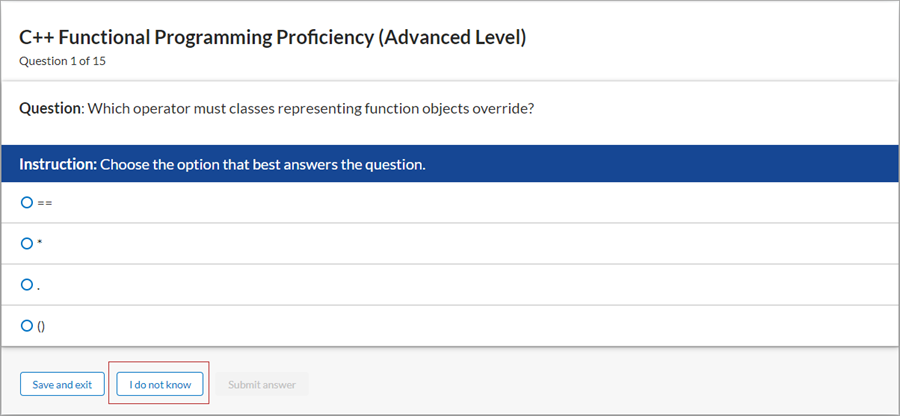
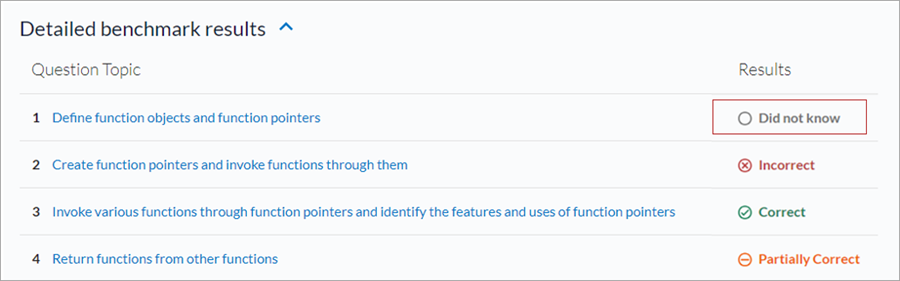
Learners can now select I do not know for Skill Benchmarks and Interactive Skill Benchmarks questions. When a learner selects this option, the question is scored like it was answered incorrectly, and the question topic is listed as Did not know in the detailed benchmark results. This allows users to move forward with their learning and also receive personalized recommendations for topics that cover questions that they did not know about.
Mobile app user experience updated for Compliance courses
To improve navigation and offer a more engaging experience, enhanced usability for compliance courses is now available to learners on mobile devices. All Percipio Compliance and Content Integration customers see these new changes.
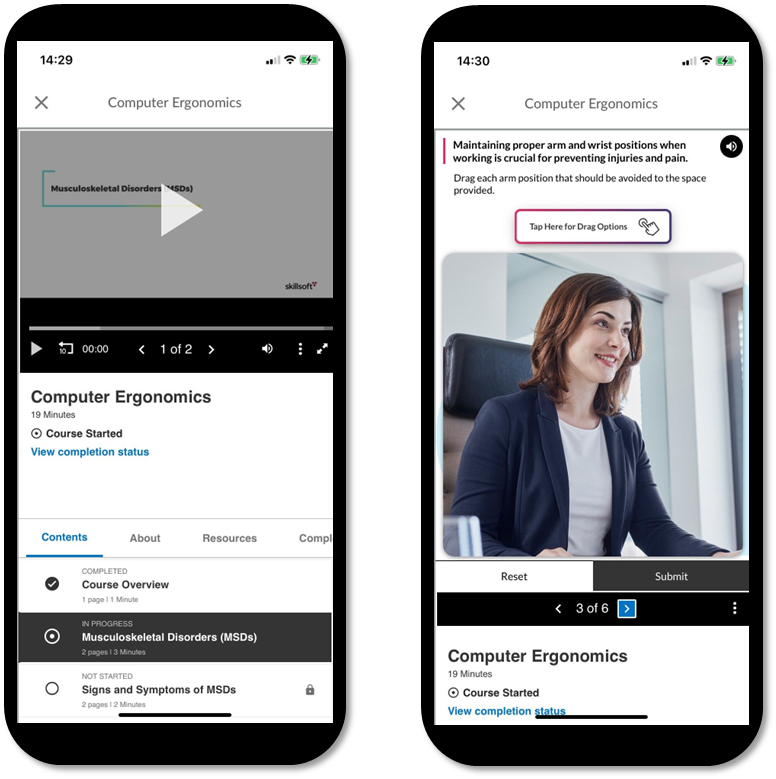
With this release, admins can now also request to disable full-screen mode and require learners to watch all videos in sequence without skipping ahead for mobile devices that do not support compliance navigation restrictions. To request this configuration, please reach out to your Skillsoft account team.