New Features and Enhancements (May 2020)
The following new features and enhancements are available as of:
May 16, 2020
NEW FEATURES
Percipio Admin
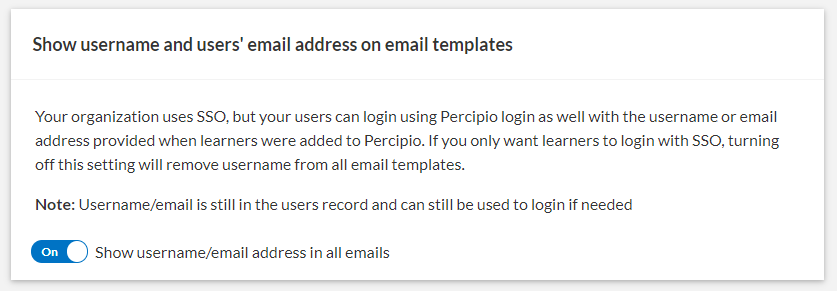
 Enable or disable user names in Percipio email
A new Engagement setting allows you to enable or disable user names and email addresses in Percipio email. If your organization uses a single sign-on system with Percipio, you may choose to disable including user name reminders in any Percipio email such as welcome email, recommendations, and so on.
For more information, see Engagement.
Percipio Mobile App
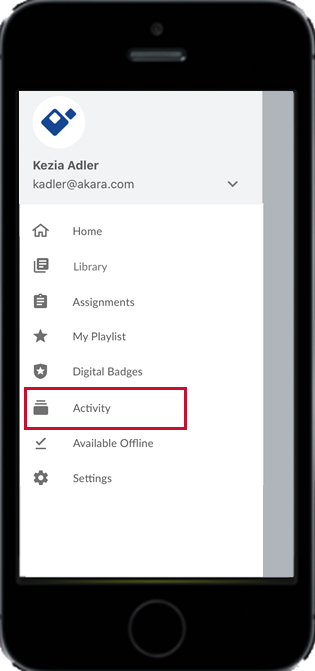
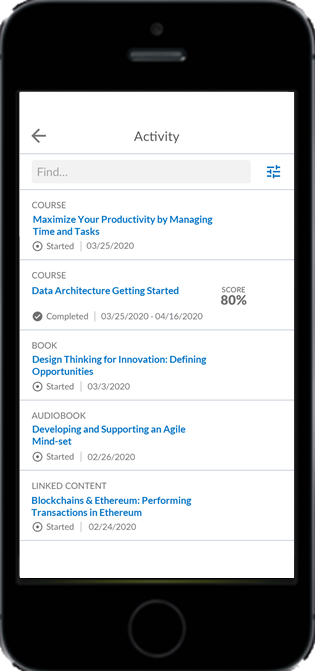
Access your Percipio Activity
You can now access your Activity page in the Percipio mobile app. Tap the navigation menu, then tap Activity.
View Digital Badges
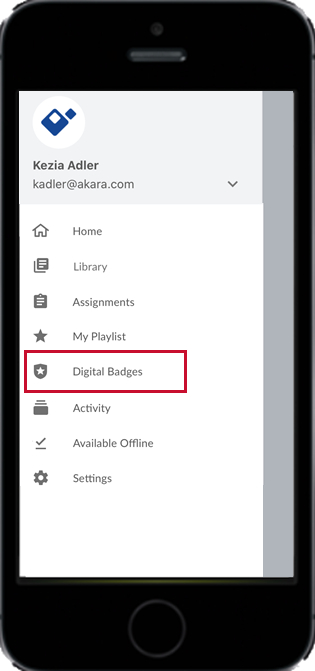
You can now access your list of Digital Badges in the Percipio mobile app. Tap the navigation menu, then tap Digital Badges.
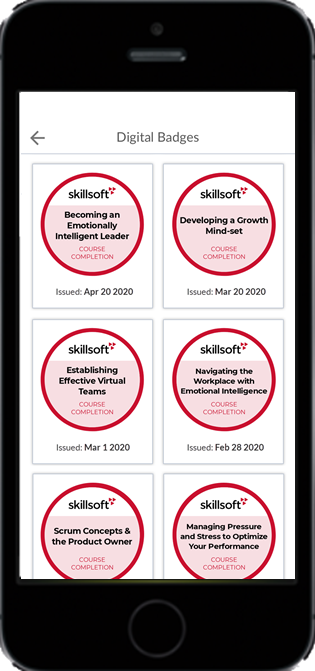
For more information, see Digital Badges in the App.
Retiring content email setting in the Mobile App
If you are an administrator who has access to the Skillsoft Content Status report and receive the monthly Retiring Content email, you can now set your individual preference to receive the email in the Mobile App settings. This setting applies only to you.
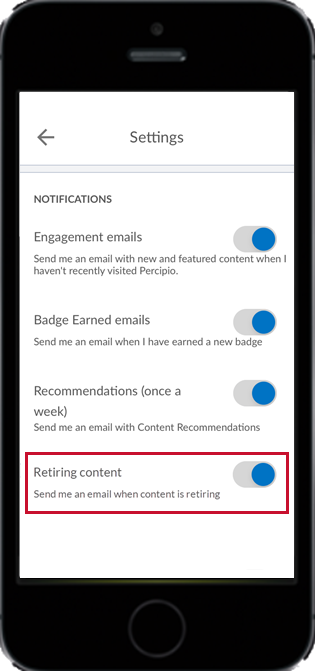
For more information, see Mobile App Settings.
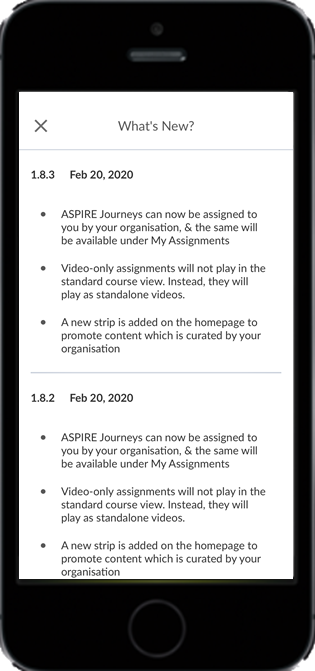
What's New information following app updates
Following an app update, the Mobile App now includes a What's New information page, highlighting the new features and enhancements included in the latest release.
ENHANCEMENTS
Percipio Learner
Recommendation emails include a resume learning section
Recommendation emails now include a resume learning section, listing content the recipient has started.
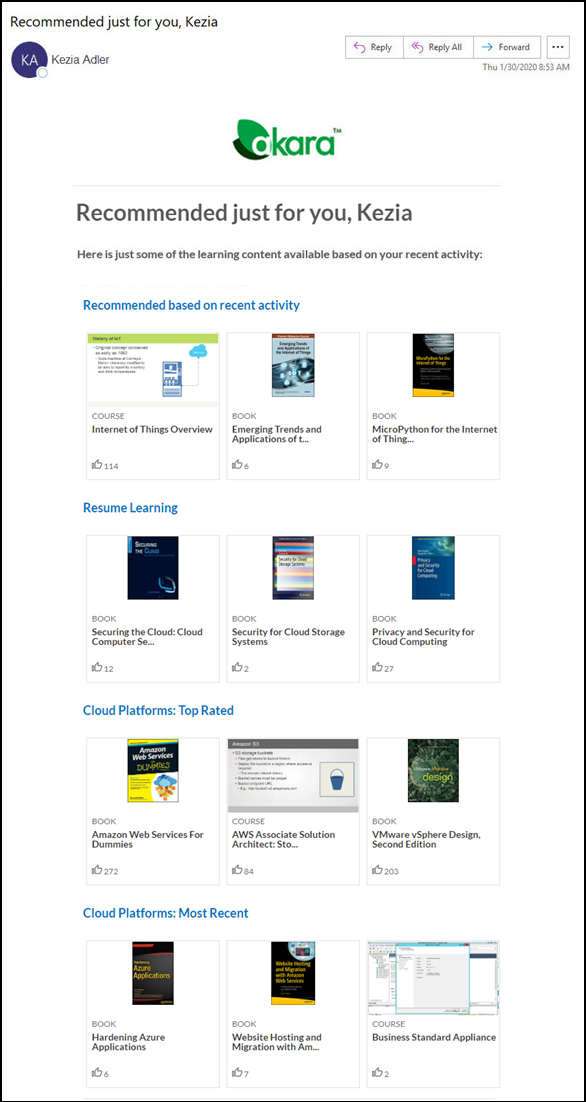
For more information, see Recommendation Emails.
Percipio Admin
Specify filters before choosing how you want to view an individual report
After selecting a report, data no longer displays automatically. You must now select the appropriate filters and then choose either Display Table (for onscreen viewing) or Start CSV Download (for export).
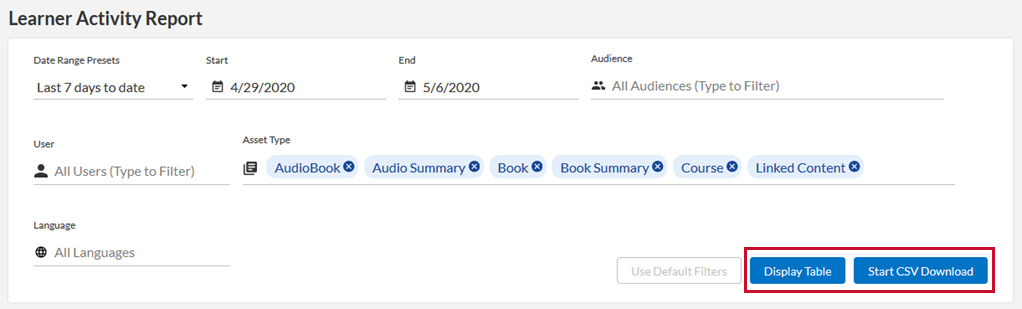
For more information, see Reports.
Skillsoft Content Status report includes links to see retiring content in promoted content
The Skillsoft Content Status report, which lists soon-to-be retiring content, now includes links to see where retiring content displays in promoted content:
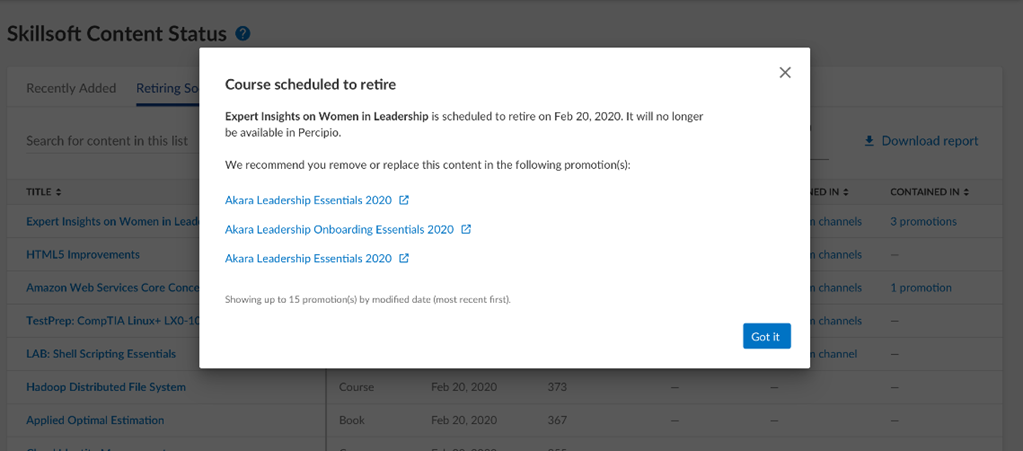
For more information, see the Skillsoft Content Status Report.
Welcome email settings improved
In Engagement settings, options for welcome email have been improved to make it easier to choose between a series of welcome emails or a single email, or to not send any email.
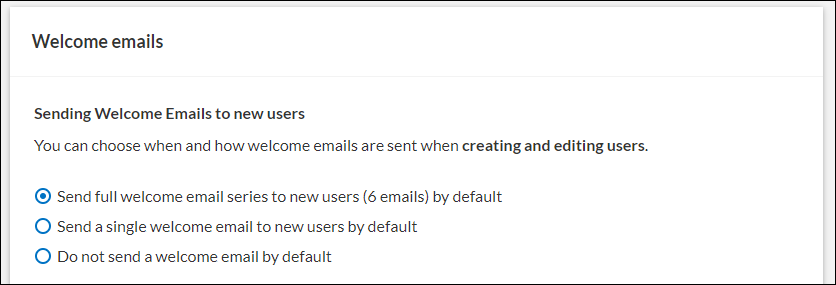
For more information, see Engagement.
Percipio Mobile App
Interests and Resume Learning removed from navigation menu
Resume Learning and Interests and are no longer listed in the navigation menu. You can still resume learning and access your interest areas from Home screen of the Mobile App.
May 2, 2020
NEW FEATURES
Percipio Learner
Recommendation emails now include content based on recent activity
Recommendation emails now include suggested content based on a learner's recent activity.
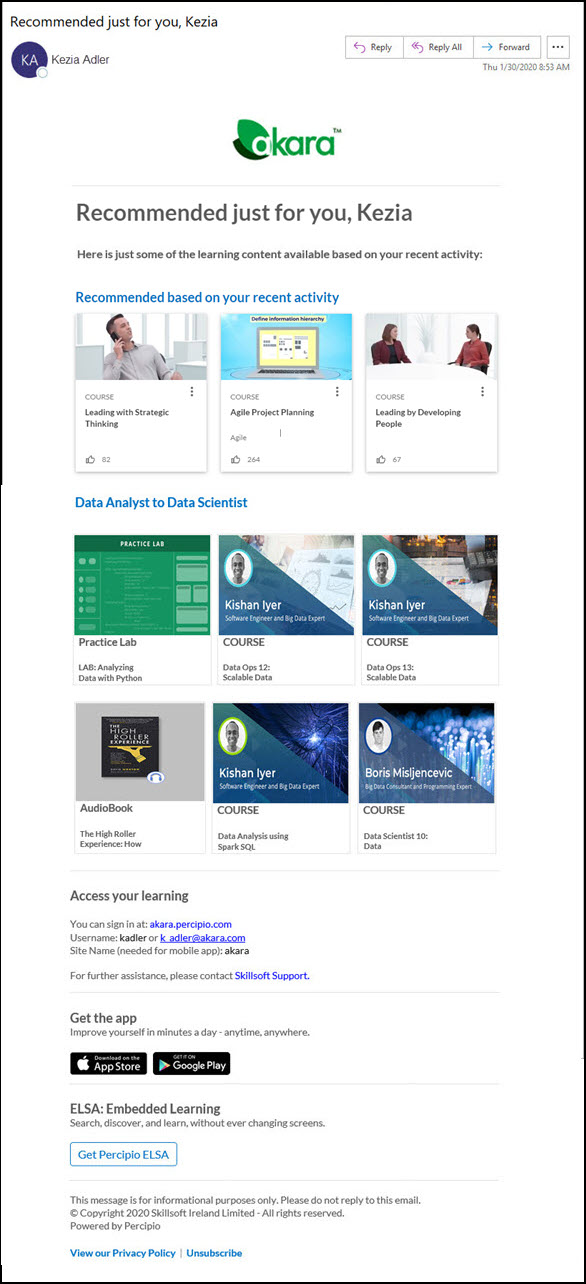
For more information, see Recommendation Emails.
Badge earned emails now include recommendations
Badge earned emails now include recommendations for more content, based on the learner's interests, where the learner can earn more digital badges.
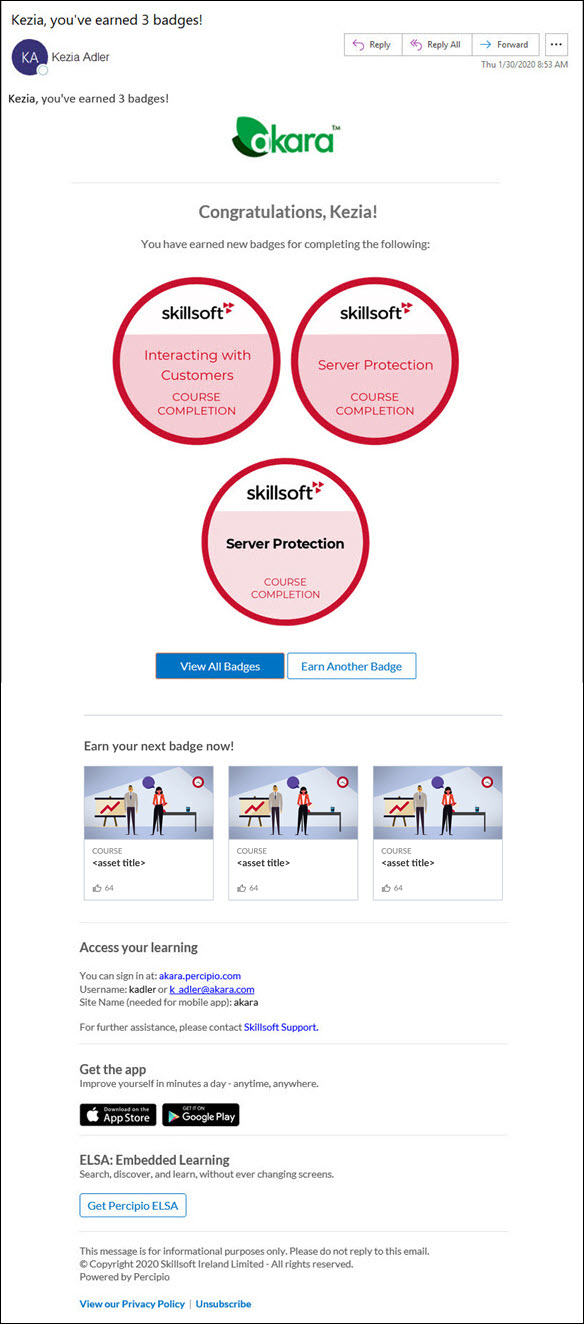
For more information, see Digital Badges.
New share icon on search results
Search results now include a share icon, which lets you copy a link to content so you can share it with others in your organization.
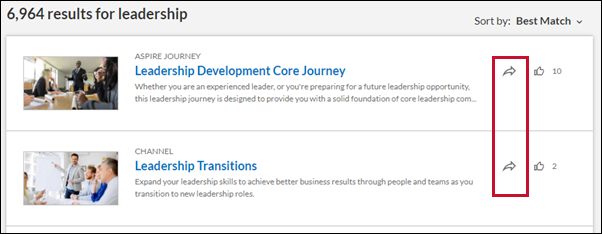
For more information, see Search.
Percipio Admin
Change in the Desktop User default value for Login timeouts
The login timeout default value for Desktop users changed from 3 days to 90 days.
For more information, see Login timeouts.
Disable promotion of the Percipio mobile app within Percipio for the Web
A new Engagement setting allows you to enable or disable the promotion of the Skillsoft Percipio Platform mobile app on the sign in page, in the footer of pages, and in emails.
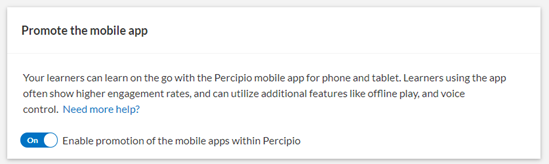
For more information see Engagement.
Retiring content email settings
If you are an administrator who has access to the Skillsoft Content Status report and receive the monthly Retiring Content email, there are two settings to control the email.
- Organization-wide setting to disable or enable Retiring content emails
- Learner-level setting to disable or enable Retiring content emails
You can now disable or enable the emails for your entire organization in Engagement settings.
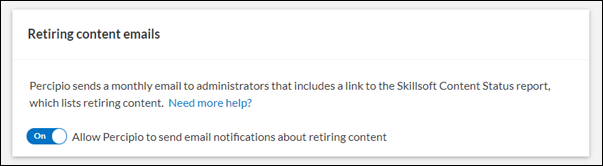
For more information, see Engagement.
If emails are enabled for your organization, you can also decide to unsubscribe in your personal account information. This setting applies only to you.
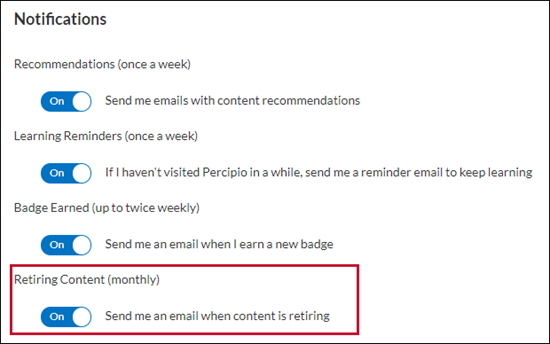
For more information see Account Information.
Skillsoft Content Status Report enhancements
The Skillsoft Content Status Report now includes these enhancements:
- CSV downloads of the report now include the asset ID, in addition to the existing asset UUID.
- The Date Range Preset options have been updated, with a new default choice of Next 12 Months.
For more information, see Skillsoft Content Status Report.
ENHANCEMENTS
Percipio Admin
Disable Course Feedback
If you want to track learner course feedback within your organization
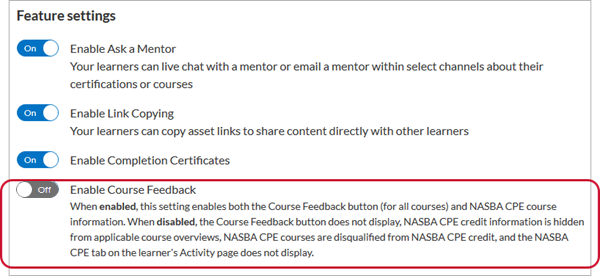
Disabling this option:
- hides the Course Feedback button on the right side of Skillsoft course pages,
- disqualifies courses for NASBA CPE credit,
- hides the NASBA CPE tab on the Activity page,
- hides the NASBA CPE search filter,
- and hides NASBA CPE credential and credit information in applicable course overviews.
For more information, see Feature Settings.