New Features and Enhancements (November 2019)
The following new features and enhancements are available as of:
November 16, 2019
Percipio Learner for the Web
 Security enhancement: Two-step sign in process
You may experience a new way to sign into Percipio.
- If you are a first-time Percipio user without a password or email address on file, you must contact support to sign in.
- If you are a first-time Percipio user without a password but have an active email address on file, once you enter your email address you'll receive an email with a link to reset your password.
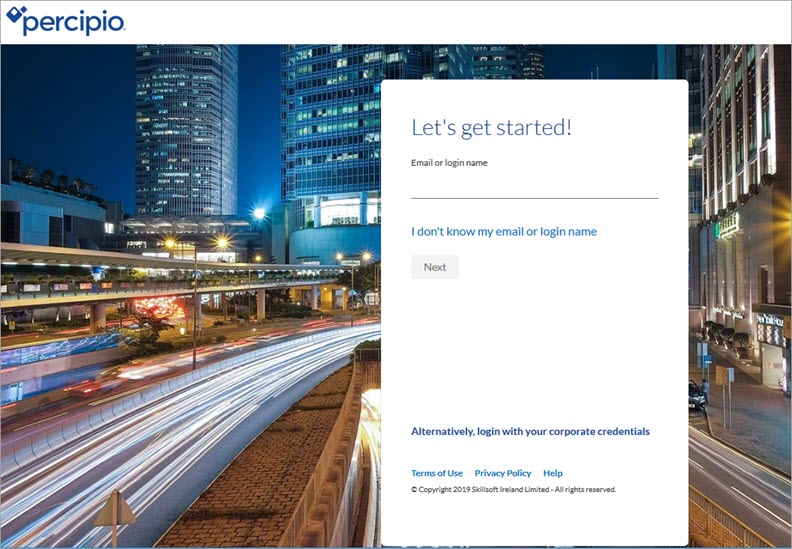
- If you are a first-time Percipio user with a username and a temporary password, you can sign in to Percipio using that password. However, for security purposes, you may be prompted to reset it.
Opt in/opt out setting for Percipio emails
On the Account Information page, you may see a setting to opt in/opt out of email notifications for new and featured content. These emails are only sent when you haven't signed into Percipio for more than 30 days.
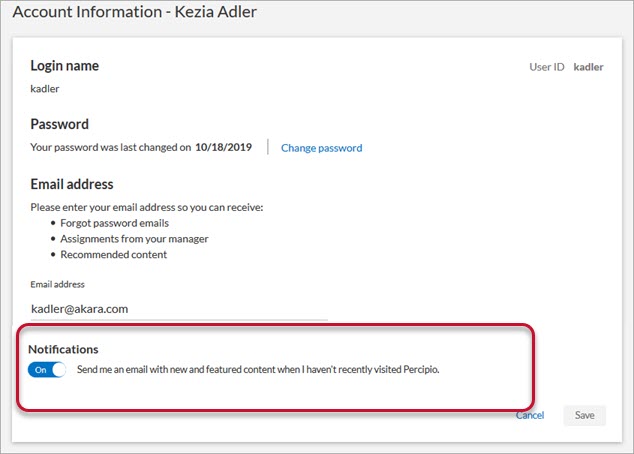
For more information, see Account Information.
Search enhancements
You can now view your selected search filters types at the top of the Search results page. You can also remove each filter or click Clear All to remove all filters and return to the default search.
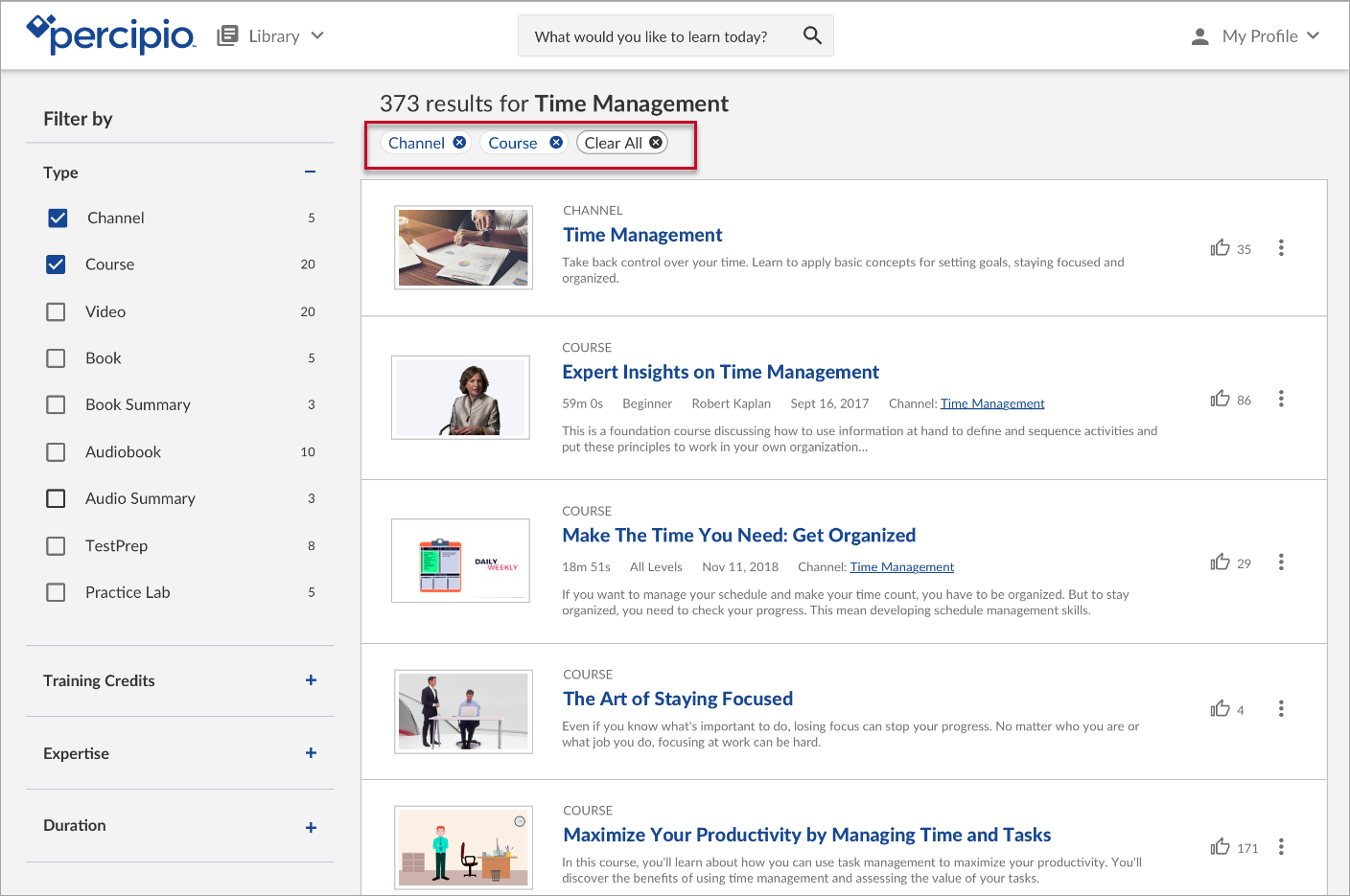
For more information, see Search.
Certificate of Completion enhancement
You can now download earned certificates in your preferred Percipio site language.

For more information, see Percipio Language Settings.
Percipio Admin
New user experience for reports
Reports are redesigned to make report data easier to view and navigate. Improvements include:
- a frozen left column in each report table for improved viewing of report data,
- column widths are adjustable for better report readability,
- fixed column headers remain stationary at the top of the report when you scroll through data, and
- overall row improvements.
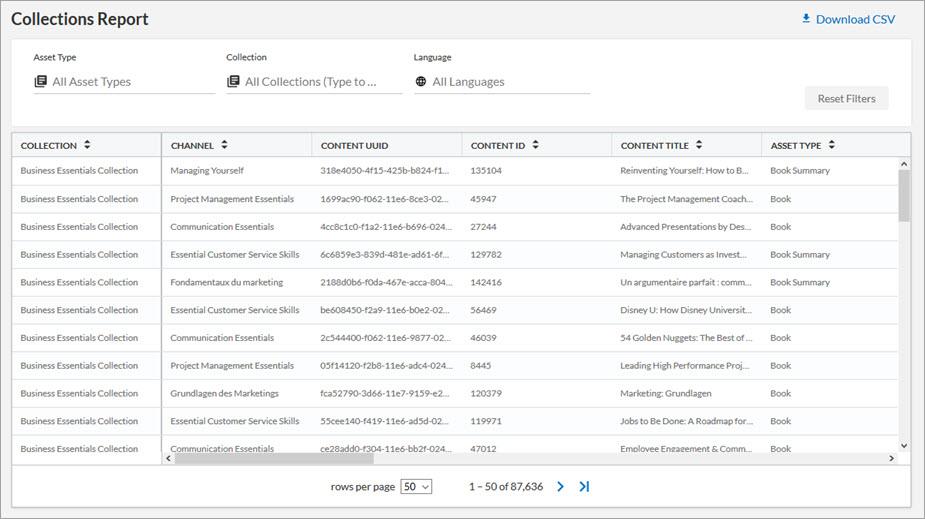
For more information, see Reports.
New welcomeEmailLanguage column in the CSV file
The welcomeEmailLanguage column in the CSV file allows you to enter a language code to specify the language of the Welcome emails for each user in your organization. If left blank, Percipio defaults the Welcome emails to the language selected in the Email template language section of the Notifications page.
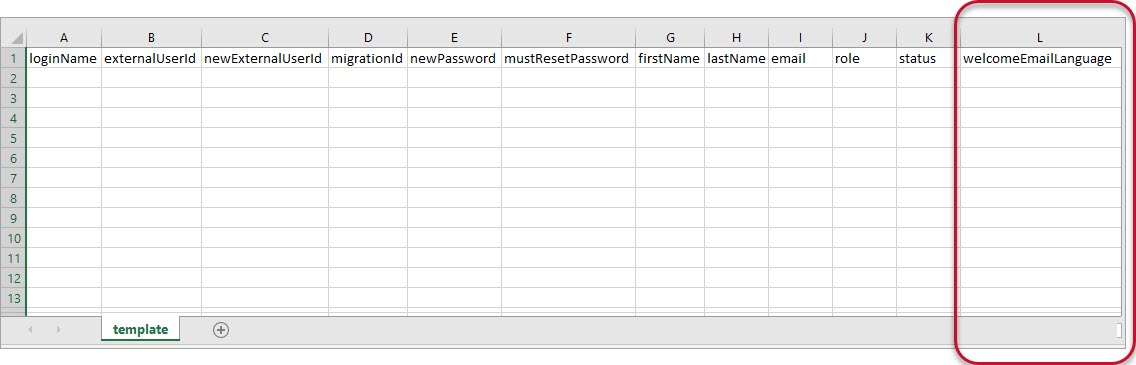
For more information, or to view the accepted language codes, see Download a CSV File.
New Credential report available
The Credential report displays a list of users within your organization who earned credit(s) for completing their NASBA CPE course(s).
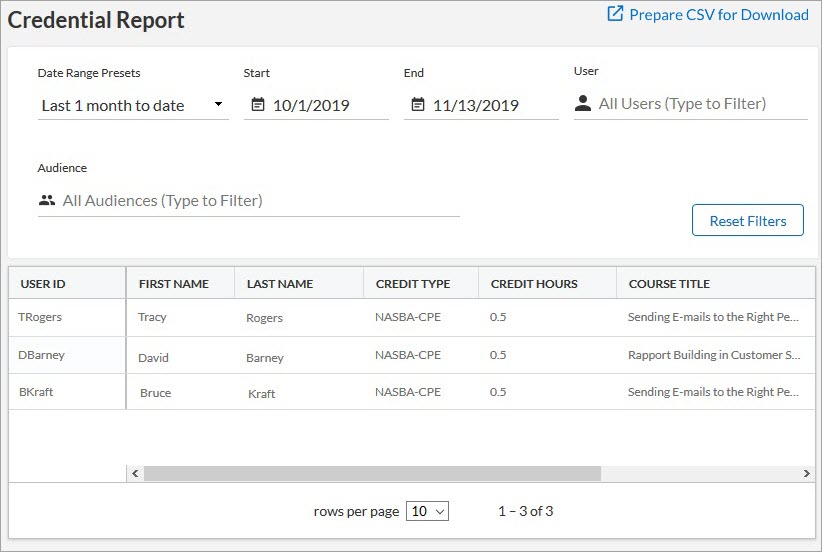
For more information about this report, see Credential Report.
New column on the License Pool page
A new START DATE column displays the license pool's activation date. Your learners can access the content in the license pool once the start date commences.
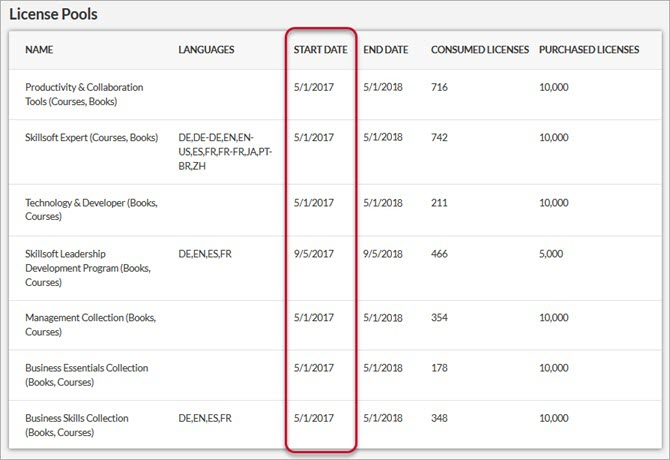
For more information about this column and Percipio licensing, see License Pools.
New Email Template Language setting on Notifications page
By default, emails are sent to your learners in their selected site language. If your learners do not select a site language, you can select a default language for your Percipio-generated emails using the new Email Template Language setting.
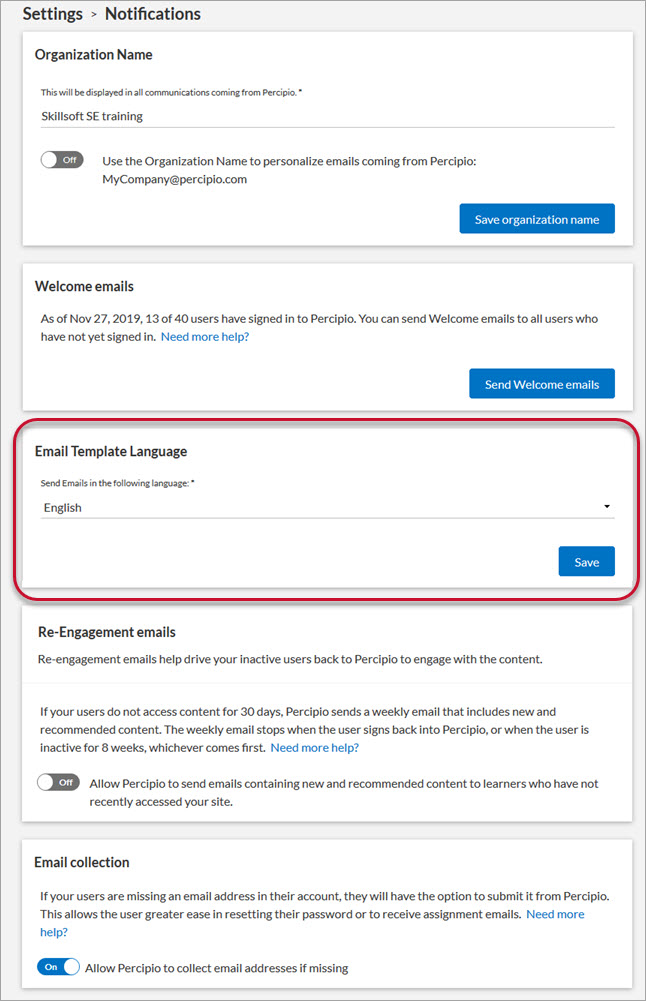
For more information, see Notifications.
Percipio mobile app (typically releases within 5 days of platform release)
Opt in/opt out setting for Percipio emails
Under Mobile Settings, you may see a setting to opt in/opt out of email notifications for new and featured content. These emails are only sent when you haven't signed into Percipio for more than 30 days.
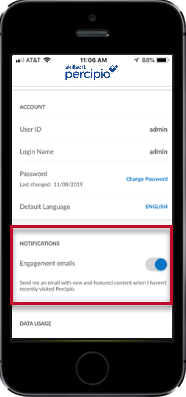
For more information, see Mobile App Settings.
Security enhancement: Two-step sign in process
A new two-step verification process may be available on your device.
- If you are a first-time Percipio user without a password or email address on file, you must contact support to sign in.
- If you are a first-time Percipio user without a password but have an active email address on file, enter your email address on the sign in page and you'll receive an email with a link to reset your password.
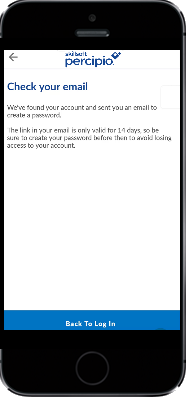
- If you are a first-time Percipio user with a username and a temporary password, you can sign in to Percipio using that password. However, for security purposes, you may be prompted to reset it.
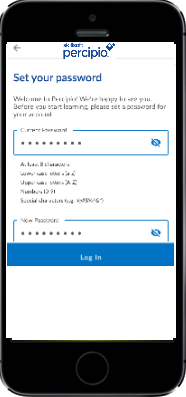
For more information, see Sign in to the App.
November 12, 2019
Embedded Learning Synchronized Assistant (ELSA)
ELSA corporate installation MSI file available
If you have admin privileges, you can install the ELSA Windows app and IE11 add-on to your public machines with the MSI file available on the ELSA download page. This feature is for use by IT professionals who manage an organization's ELSA installation.
For more information, see the ELSA Corporate Installation page.
November 9, 2019
Percipio Admin
New Content Coordinator role
Content Coordinators manage their organization's custom channels and custom content within Percipio, and have access to some reports.
For more information about the specific privileges and reports available to users with this role, see Privileges by Role.
Percipio mobile app (typically releases within 5 days of platform release)
Account information available on the Mobile App Settings page
Under Mobile Settings, you can view your user ID and login name, and change your password.
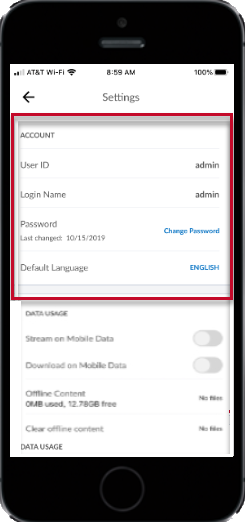
For more information, see Mobile App Settings.