New Features and Enhancements (April 2020)
The following new features and enhancements are available as of:
April 18, 2020
NEW FEATURES
Skillsoft Platform Admin
 Set login timeout durations for the Skillsoft Platform for the Web and the Skillsoft Percipio mobile app
Specify the number of days, hours, or minutes your learners can remain signed in to the platform before they must sign in again.
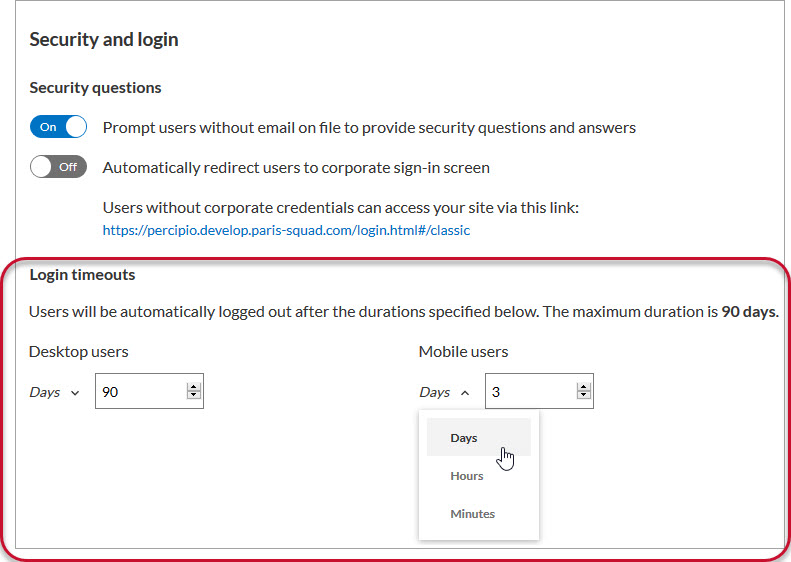
Login timeouts go into effect the next time your learner signs out of the platform. When you change your timeout values, Skillsoft recommends you send a notification to your learners asking them to sign out of the platform.
For more information, see Security and Login.
Report Download (CSV) page
At the top of each report, a new Prepare CSV for Download link displays in place of the old Download CSV link.
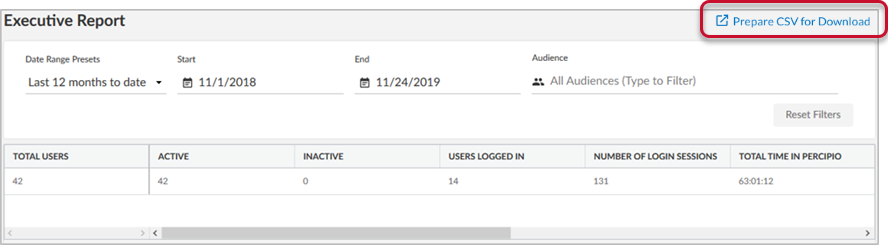
Now, instead of waiting for the CSV file to generate after you click the link, after the confirmation message displays you can navigate away from the page in the platform and check the status of your CSV file download on the new Report Download (CSV) page.
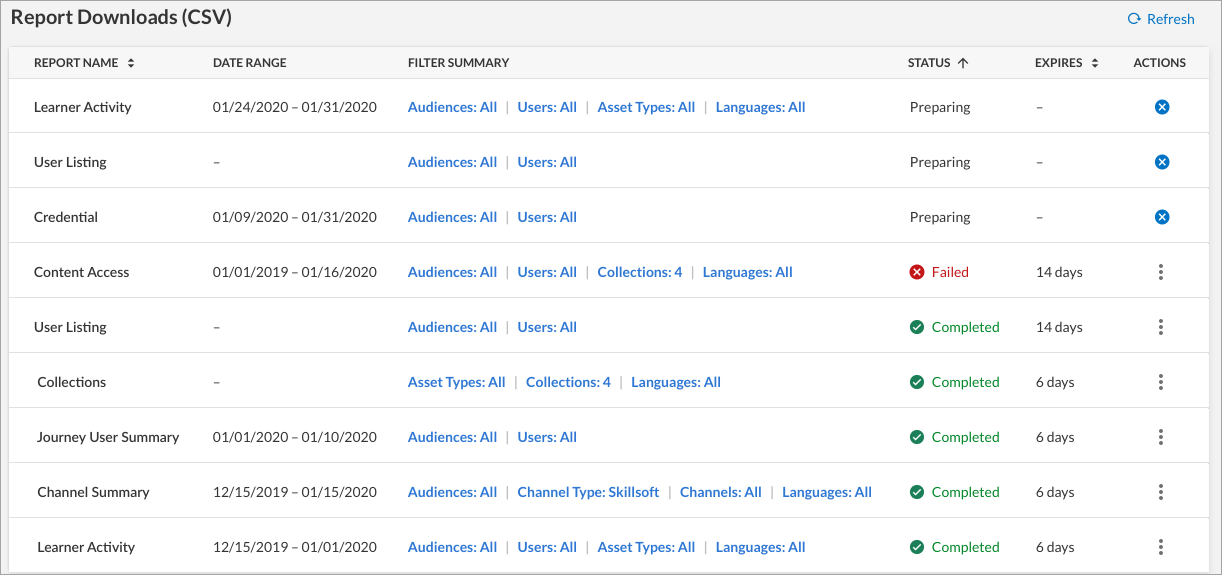
For more information, see .
Skillsoft Percipio Mobile App
Browse the Skillsoft Platform library
The library is now available in the Skillsoft Percipio mobile app. Tap the navigation menu, then tap Library to browse.
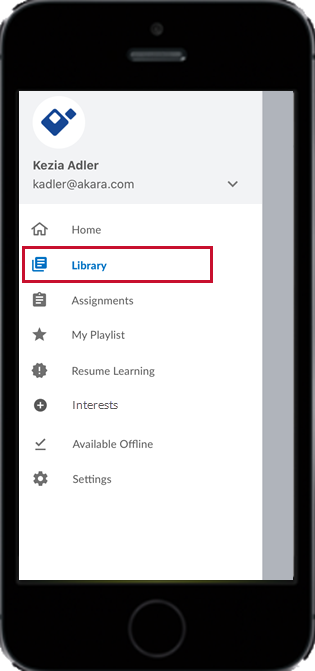
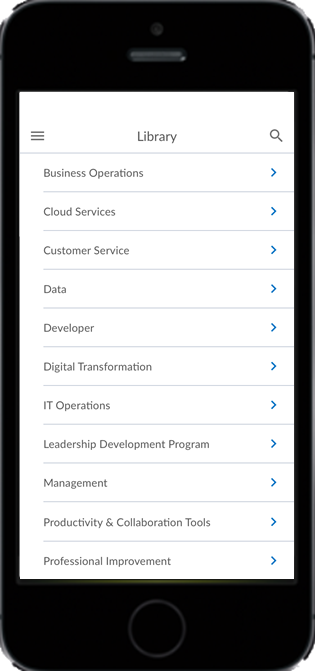
For more information, see Browse the Library from the App.
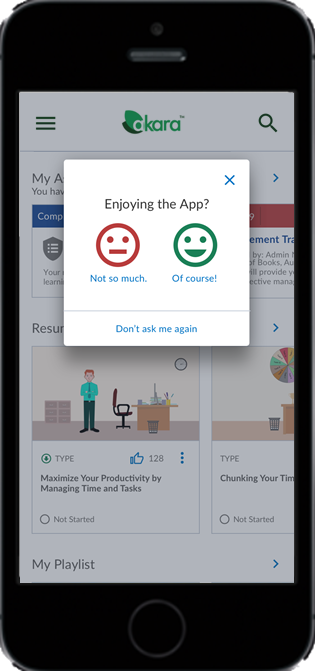
Rate the Skillsoft Percipio mobile app
When you complete a course, you now can provide feedback about the Mobile App via a new Enjoying the App? dialog.
ENHANCEMENTS
Skillsoft Platform Admin
New Language icon on the License Pool and Audience Association pages
Instead of listing out all available languages, a Language icon  displays on the License Pool and Audience Association pages. Hover over the icon to view the available content languages.
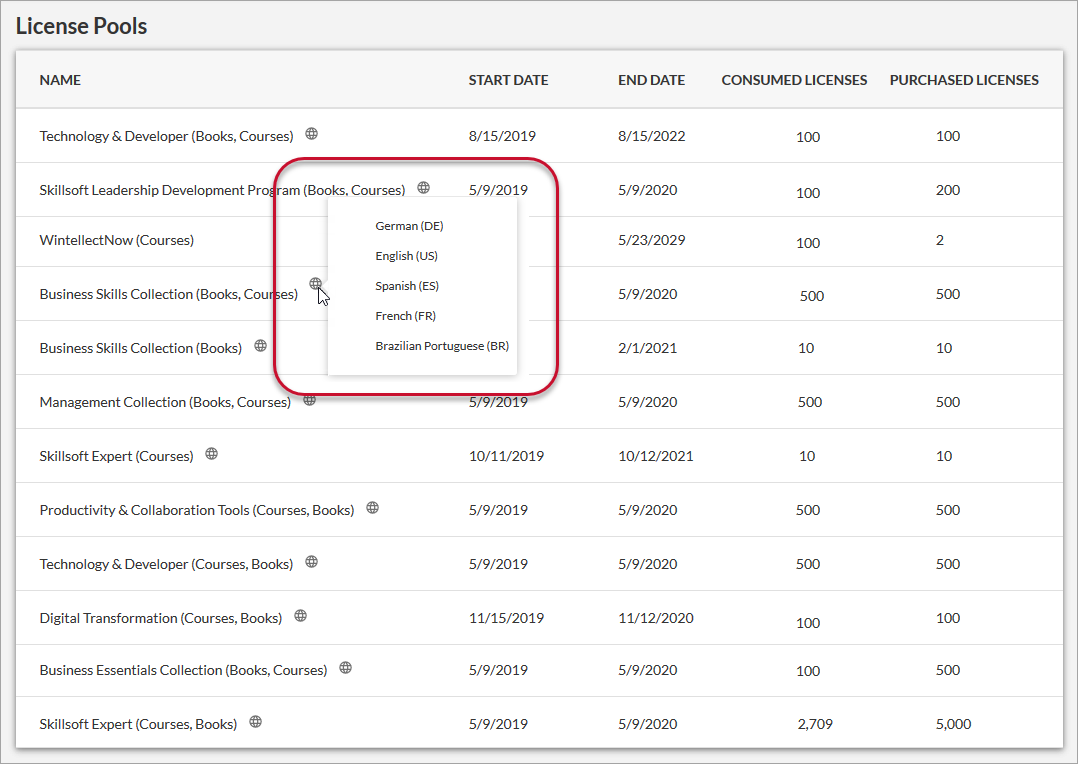
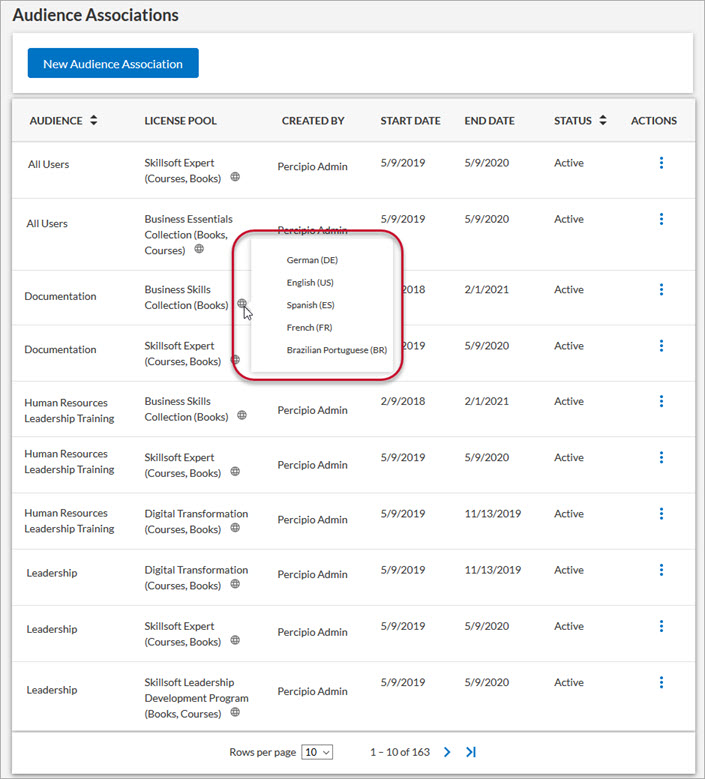
For more information, see License Pool List and Audience Associations.
Skillsoft Content Status report enhancements
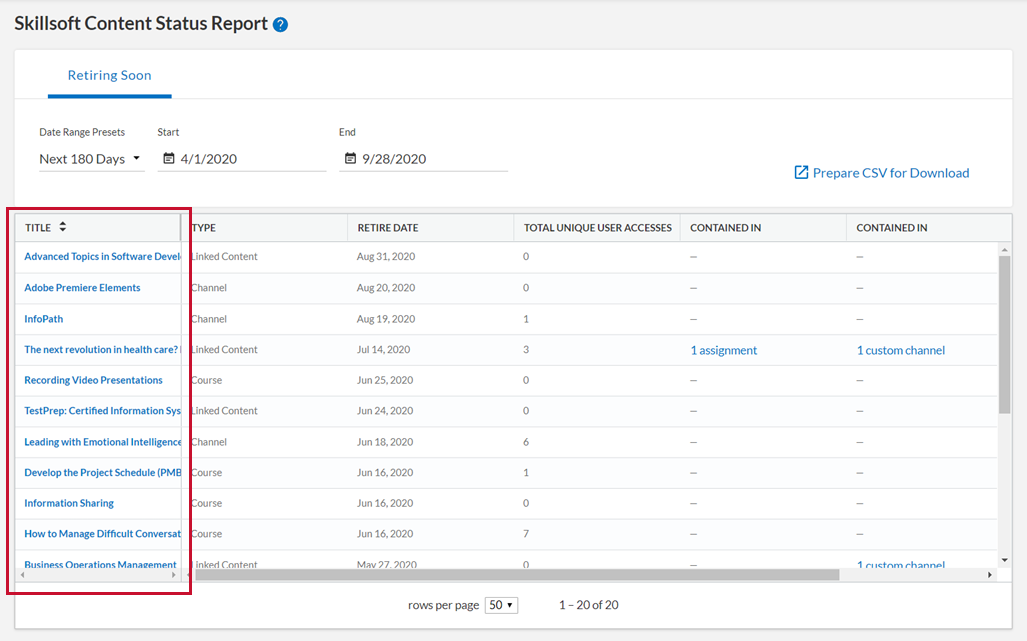
The Skillsoft Content Status report, which lists soon-to-be retiring content, now includes links to:
- Open the content from the TITLE column:
- See where retiring content displays in assignments and custom channels:
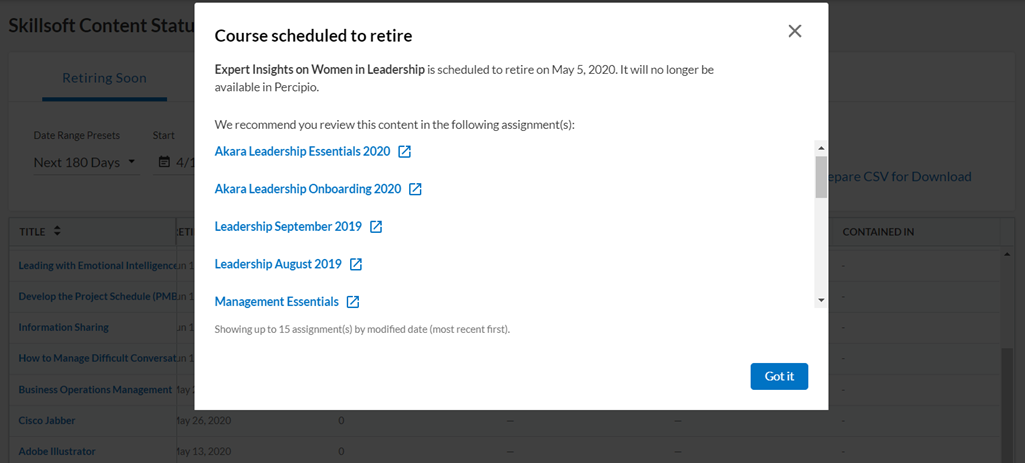
For more information, see the Skillsoft Content Status Report.
Assign audiences within the custom channel workflow
Site Admins and Content Curators can now associate audiences to custom channels from the Create Channel and Edit Channel pages. Content Coordinators can view a channel's audience associations, but they cannot add or remove audience associations to channels.
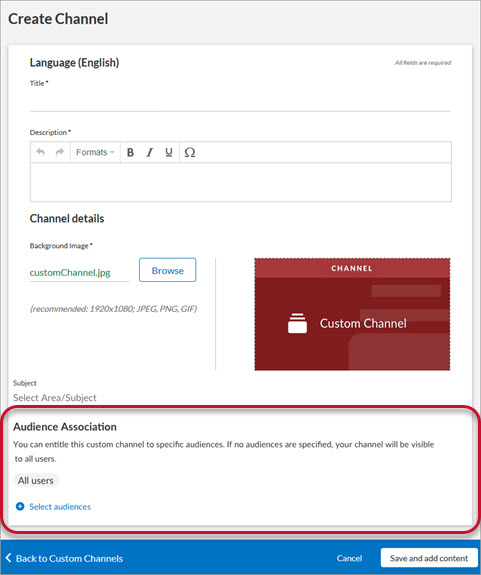
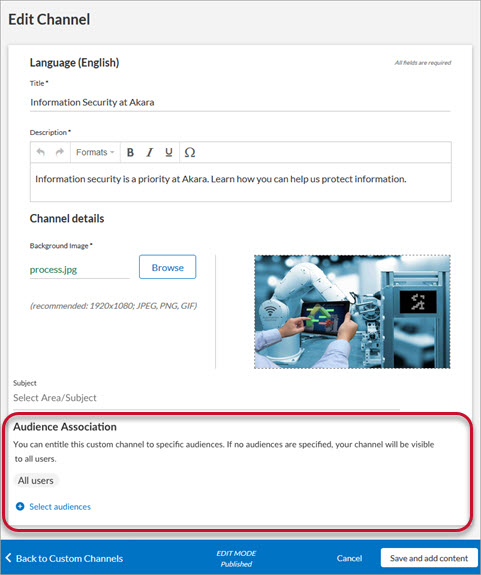
For more information, see Associate a Custom Channel to an Audience.
New audience permission for Content Curators
Content Curators can specify audiences when creating or editing custom channels.
For procedures, see Associate a Custom Channel to an Audience. See Privileges by Role for a complete list of Content Curator privileges.
Skillsoft Percipio Mobile App
Explore Aspire Journeys from the Home screen
You can explore Aspire Journeys directly from the Home screen.
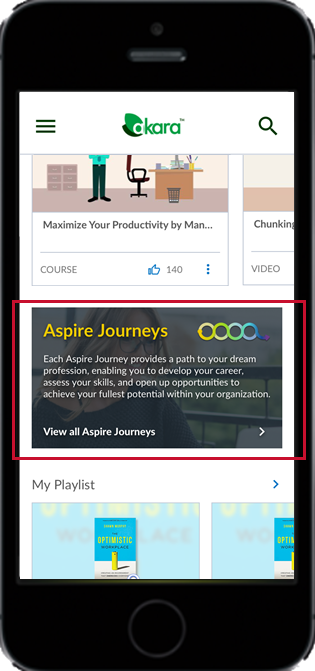
For more information, see Aspire Journeys in the App.
Enable Stream on Mobile Data while viewing a course
You can enable the Stream on Mobile Data setting while viewing a course. If you are not connected to WiFi and the Stream on Mobile Data setting is disabled, a message displays to enable the setting and resume your course.
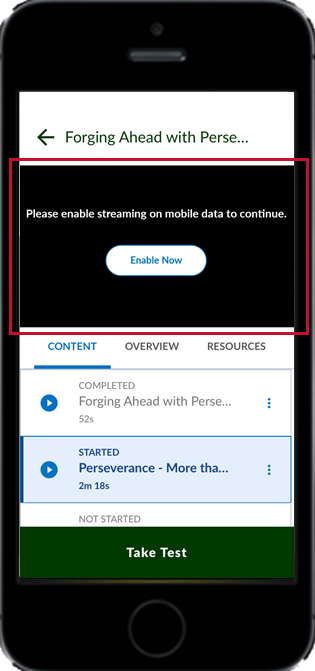
For more information, see Mobile App Settings.
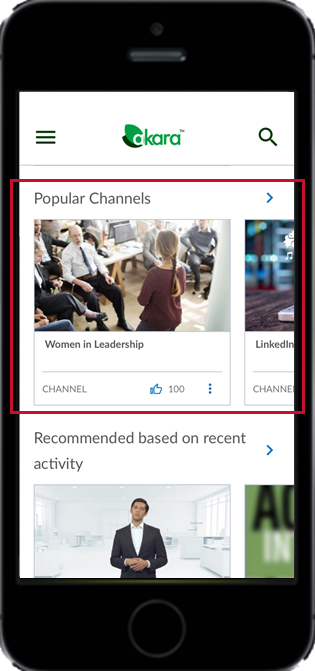
Popular Channels removed from navigation menu
Popular Channels no longer display in the navigation menu. You can still access Popular Channels from the Home screen of the Mobile App.
Improved messages when offline
The Mobile App now includes new messages to help you work in the app when you lose connectivity.
- When you are offline, a screen displays to alert you and provide options.
- If you lose connectivity while viewing downloaded content, a banner displays to alert you.
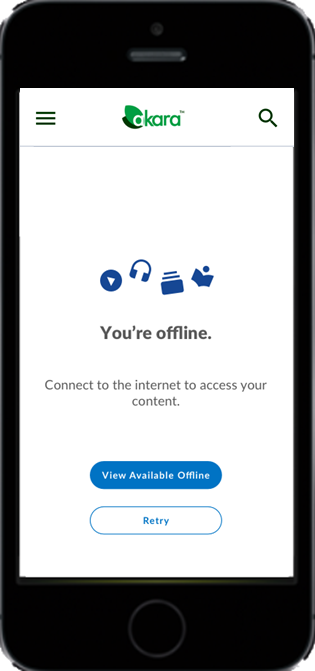
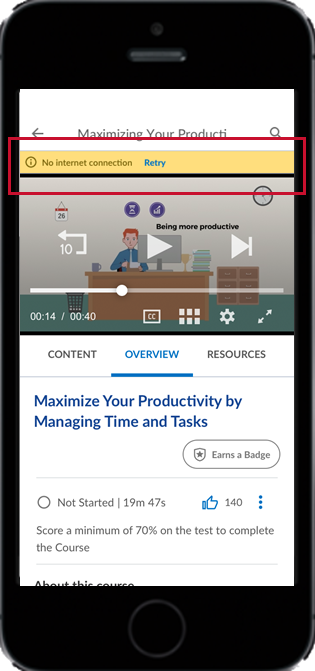
For more information, see Mobile Offline.
Videos in playlists and channels play independently
In the Skillsoft Percipio mobile app, you can launch and watch videos in playlists and channels outside of the context of courses, making it easier to complete assignments consisting of video content.
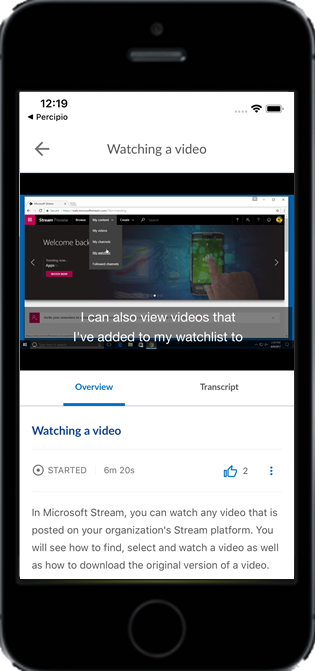
For more information, see Videos.
COMING SOON
New Retiring Content email beginning in May 2020
Beginning in May 2020, in conjunction with the Skillsoft Content Status report, a monthly Retiring Content email will be sent to PES customers and Skillsoft Platform admins with privileges to the report. It alerts you to upcoming retiring assets, and contains a link to view the report in full.
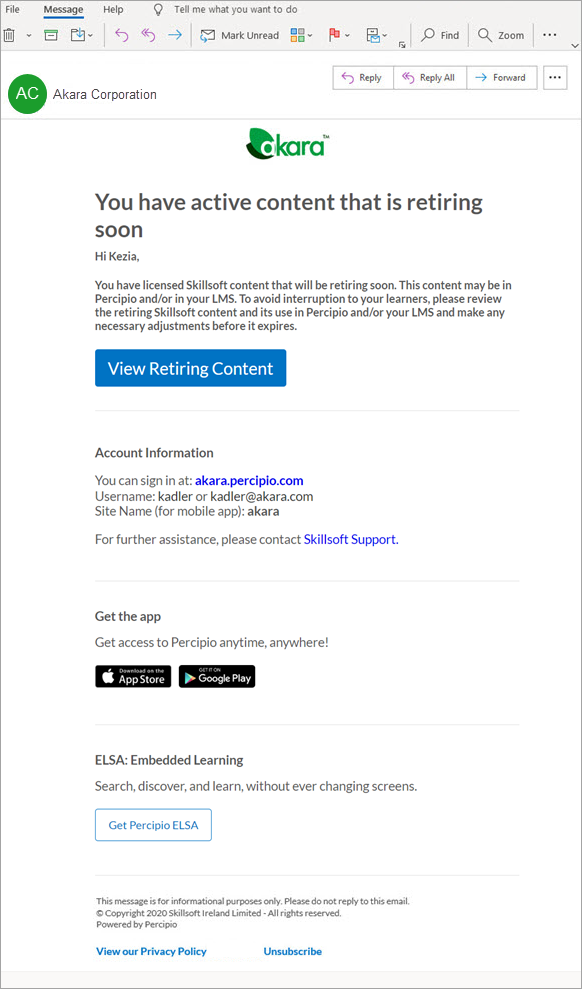
You can opt out of this notification via the Unsubscribe link at the bottom of the email.
For more information see Retiring Content emails.
Retiring Content email opt in/opt out setting on the Engagement page
Coming next month, a new option will be available on the Engagement page in Skillsoft Platform Admin that allows you to disable all Content Status emails sent to your organization. By default, this setting will be enabled (set to On).
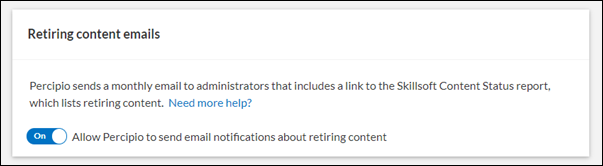
Retiring Content email option on your Account Information page
Users with an admin role will also have the option to individually opt in or out of these emails on their Account Information page.